@electric-sql/pglite
PGlite is a WASM Postgres build packaged into a TypeScript client library that enables you to run Postgres in the browser, Node.js and Bun, with no need to install any other dependencies. It is only 3.7mb gzipped.
About
PGlite is a WASM Postgres build packaged into a TypeScript client library that enables you to run Postgres in the browser, Node.js and Bun, with no need to install any other dependencies. It is only 3.7mb gzipped.
Live mirror of the GitHub README. Updated whenever the repo's default branch changes.

PGlite - the WASM build of Postgres from ElectricSQL.
Build reactive, realtime, local-first apps directly on Postgres.






PGlite - Postgres in WASM
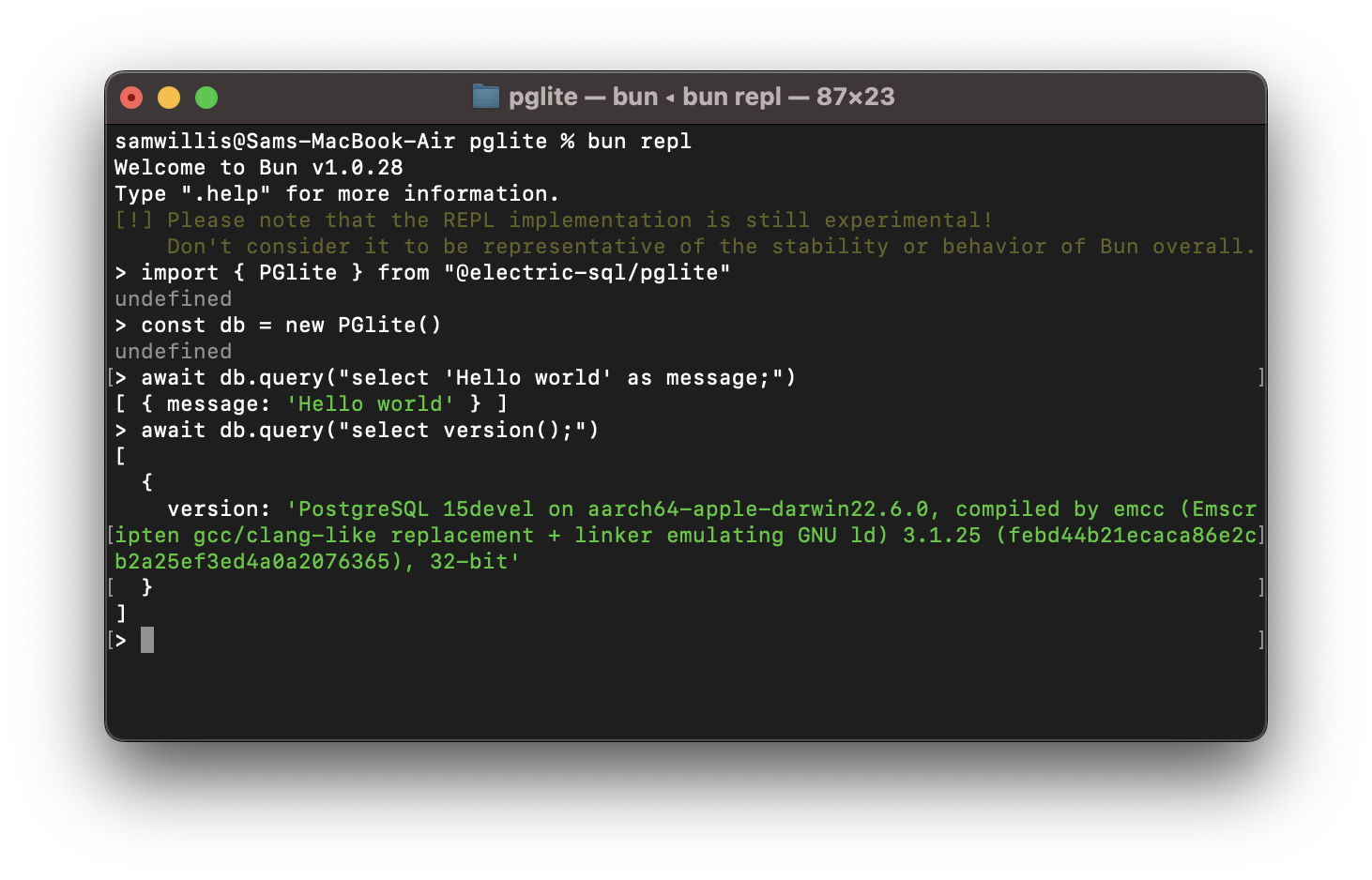
PGlite is a WASM Postgres build packaged into a TypeScript client library that enables you to run Postgres in the browser, Node.js, Bun and Deno, with no need to install any other dependencies. It is only 3mb gzipped and has support for many Postgres extensions, including pgvector.
import { PGlite } from '@electric-sql/pglite'

const db = new PGlite()
await db.query("select 'Hello world' as message;")
// -> { rows: [ { message: "Hello world" } ] }
It can be used as an ephemeral in-memory database, or with persistence either to the file system (Node/Bun/Deno) or indexedDB (Browser).
Unlike previous "Postgres in the browser" projects, PGlite does not use a Linux virtual machine - it is simply Postgres in WASM.
For full documentation and user guides see pglite.dev.
Browser
It can be installed and imported using your usual package manager:
import { PGlite } from '@electric-sql/pglite'
or using a CDN such as JSDeliver:
import { PGlite } from 'https://cdn.jsdelivr.net/npm/@electric-sql/pglite/dist/index.js'
Then for an in-memory Postgres:
const db = new PGlite()
await db.query("select 'Hello world' as message;")
// -> { rows: [ { message: "Hello world" } ] }
or to persist the database to indexedDB:
const db = new PGlite('idb://my-pgdata')
Node/Bun/Deno
Install into your project:
NodeJS
npm install @electric-sql/pglite
Bun
bun install @electric-sql/pglite
Deno
deno add npm:@electric-sql/pglite
To use the in-memory Postgres:
import { PGlite } from '@electric-sql/pglite'

const db = new PGlite()
await db.query("select 'Hello world' as message;")
// -> { rows: [ { message: "Hello world" } ] }
or to persist to the filesystem:
const db = new PGlite('./path/to/pgdata')
How it works
PostgreSQL typically operates using a process forking model; whenever a client initiates a connection, a new process is forked to manage that connection. However, programs compiled with Emscripten - a C to WebAssembly (WASM) compiler - cannot fork new processes, and operates strictly in a single-process mode. As a result, PostgreSQL cannot be directly compiled to WASM for conventional operation.
Fortunately, PostgreSQL includes a "single user mode" primarily intended for command-line usage during bootstrapping and recovery procedures. Building upon this capability, PGlite introduces a input/output pathway that facilitates interaction with PostgreSQL when it is compiled to WASM within a JavaScript environment.
Limitations
- PGlite is single user/connection.
How to build PGlite and contribute
The build process of PGlite is split into two parts:
- Building the Postgres WASM module.
- Building the PGlite client library and other TypeScript packages.
Docker is required to build the WASM module, along with Node (v20 or above) and pnpm for package management and building the TypeScript packages.
To start checkout the repository and install dependencies:
git clone https://github.com/electric-sql/pglite
cd pglite
pnpm install
To build everything, we have the convenient pnpm build:all command in the root of the repository. This command will:
- Use Docker to build the Postgres WASM module. The artifacts from this are then copied to
/packages/pglite/release. - Build the PGlite client library and other TypeScript packages.
To only build the Postgres WASM module (i.e. point 1 above), run
pnpm wasm:build
If you don't want to build the WASM module and assorted WASM binaries from scratch, you can download them from a comment under the most recently merged PR, labeled as interim build files, and place them under packages/pglite/release.
To build all TypeScript packages (i.e. point 2 of the above), run:
pnpm ts:build
This will build all packages in the correct order based on their dependency relationships. You can now develop any individual package using the build and test scripts, as well as the stylecheck and typecheck scripts to ensure style and type validity.
Or alternatively to build a single package, move into the package directory and run:
cd packages/pglite
pnpm build
When ready to open a PR, run the following command at the root of the repository:
pnpm changeset
And follow the instructions to create an appropriate changeset. Please ensure any contributions that touch code are accompanied by a changeset.
Acknowledgments
PGlite builds on the work of Stas Kelvich of Neon in this Postgres fork.
License
PGlite is dual-licensed under the terms of the Apache License 2.0 and the PostgreSQL License, you can choose which you prefer.
Changes to the Postgres source are licensed under the PostgreSQL License.
Quick facts
npm install @electric-sql/pgliteHow Sourcemap Explorer detects @electric-sql/pglite
We catch @electric-sql/pglite from two complementary signals: bundled source paths and the embedded package.json. Modern bundlers (webpack, Vite, esbuild, Rollup, Turbopack) preserve the original node_modules/@electric-sql/pglite/ paths inside the JavaScript sourcemap's sources[] array — that's the canonical signal. When the matching package.json is also captured in sourcesContent[], we read the exact version field — patch number included. No regex guessing, no version inference.
- 1
Confirm the site exposes sourcemaps
In DevTools Network, check the response headers of any application script for `SourceMap` or `X-SourceMap`. Failing that, fetch the script's last 4 KB and look for a `//# sourceMappingURL=` comment.
- 2
Find the package in the bundle
Open DevTools → Network → reload. Click any application script and look at its sourcemap. Inside, search `sources[]` for entries matching `node_modules/@electric-sql/pglite/` — every match confirms the package is bundled. The matching `sourcesContent[i]` for `node_modules/@electric-sql/pglite/package.json` gives you the exact installed version.
- 3
Read the version directly from package.json
Run `jq -r '. as $m | $m.sources | to_entries[] | select(.value | endswith("node_modules/@electric-sql/pglite/package.json")) | $m.sourcesContent[.key] | fromjson | .version' bundle.js.map`. Sourcemap Explorer automates the same query in the popup.
Recent versions
FAQ
What is @electric-sql/pglite used for?
PGlite is a WASM Postgres build packaged into a TypeScript client library that enables you to run Postgres in the browser, Node.js and Bun, with no need to install any other dependencies. It is only 3.7mb gzipped.
How can I tell if a website is using @electric-sql/pglite?
Open the page in Chrome with the Sourcemap Explorer extension installed and read the Stack tab. We catch `@electric-sql/pglite` from two complementary signals: `node_modules/@electric-sql/pglite/` paths inside the JavaScript sourcemap, and the embedded `package.json` we read for exact-version detection. Without the extension you can do the same lookup manually in DevTools — the steps are listed in the "How Sourcemap Explorer detects" section above.
What is the latest version of @electric-sql/pglite?
0.4.5, as published on the npm registry. The "Recent versions" table on this page lists the most recent 8 releases with their release dates. Sourcemap Explorer reports the version actually bundled into a site, which can lag the latest release by months on real-world deployments.
Where can I read more?
Project homepage: https://pglite.dev. Source code: https://github.com/electric-sql/pglite. Published on npm: https://www.npmjs.com/package/@electric-sql/pglite. Licensed as Apache-2.0.
Keep reading on Sourcemap Explorer
Practical guides
Detected by Sourcemap Explorer
When a bundle ships sourcemaps, we read the embedded package.json for @electric-sql/pglite and report the precise version. Without sourcemaps, an import / require in the page's scripts is enough to flag it.