i18next
i18next internationalization framework
About
i18next internationalization framework
What detecting i18next tells you about a site
i18next reveals a properly internationalised app — translation namespaces, pluralisation rules, locale detection and interpolation handled by the most widely-used JavaScript i18n framework. Its presence tells you the product ships to multiple languages as a first-class concern rather than as an afterthought.
Why the exact i18next version matters
The plugin and backend APIs evolved across the 21.x–23.x line; the exact version tells you which loader and detection plugins the setup expects and how translations are split and fetched.
i18next in a real-world stack
When you find i18next in a bundle, it rarely travels alone. react-i18next on React sites, plus a language-detector and a backend plugin to load translation files.
Quick facts
npm install i18nextCommon pairings
Packages this one expects to find in the same project. Each is also a Sourcemap Explorer detection target.
How Sourcemap Explorer detects i18next
i18next ships as v26.3.6, published 2026-07-09 and carries 0 direct dependencies, 1 peer dependency (typescript), 605 versions on the registry. Those exact numbers are the footprint Sourcemap Explorer matches when i18next rides inside a deployed bundle — here is how the detection works.
We catch i18next from two complementary signals: bundled source paths and the embedded package.json. Modern bundlers (webpack, Vite, esbuild, Rollup, Turbopack) preserve the original node_modules/i18next/ paths inside the JavaScript sourcemap's sources[] array — that's the canonical signal. When the matching package.json is also captured in sourcesContent[], we read the exact version field — patch number included. No regex guessing, no version inference.
- 1
Confirm the site exposes sourcemaps
In DevTools Network, check the response headers of any application script for `SourceMap` or `X-SourceMap`. Failing that, fetch the script's last 4 KB and look for a `//# sourceMappingURL=` comment — that map is where the `i18next` paths live.
- 2
Find the package in the bundle
Open DevTools → Network → reload. Click any application script and look at its sourcemap. Inside, search `sources[]` for entries matching `node_modules/i18next/` — every match confirms the package is bundled. The matching `sourcesContent[i]` for `node_modules/i18next/package.json` gives you the exact installed version.
- 3
Read the version directly from package.json
Run `jq -r '. as $m | $m.sources | to_entries[] | select(.value | endswith("node_modules/i18next/package.json")) | $m.sourcesContent[.key] | fromjson | .version' bundle.js.map`. Sourcemap Explorer automates the same query in the popup.
Major releases of i18next
When each major version first landed. Major bumps are where breaking changes live, so this timeline is the fastest way to date the i18next version a site actually ships against the ecosystem.
Recent security advisories for i18next
The 2 most recent advisories affecting some versions of i18next, aggregated from OSV.dev (GitHub Advisory + CVE data). A listing here doesn't mean the version a given site ships is affected — each advisory applies to a specific version range. Sourcemap Explorer reads the exact bundled version so you can check it against these ranges.
Cross-Site Scripting in i18next
Cross-Site Scripting in i18next
Recent versions
i18next README
Live mirror of the GitHub README, for reference. Updated whenever the repo's default branch changes.
i18next: learn once - translate everywhere 







i18next is a very popular internationalization framework for browser or any other javascript environment (eg. Node.js, Deno).
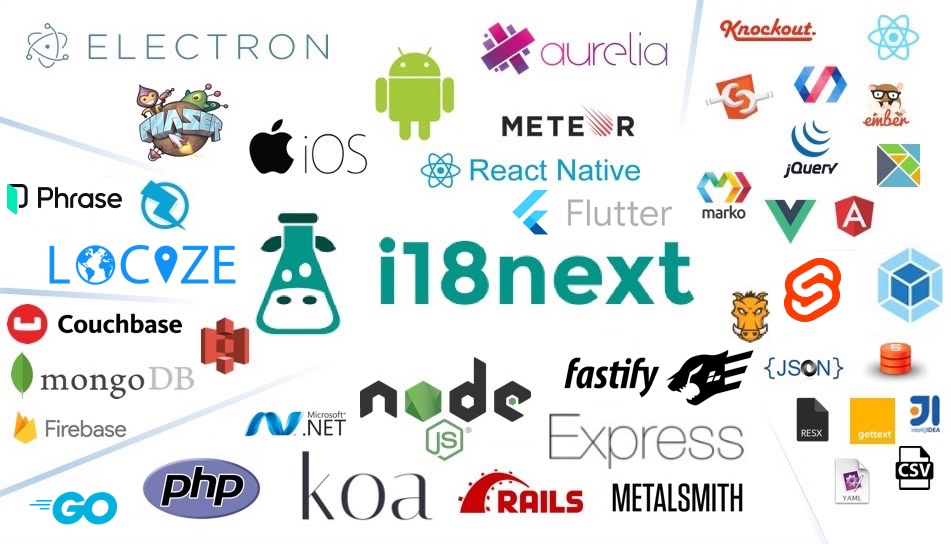
i18next provides:
- Flexible connection to backend (loading translations via xhr, ...)
- Optional caching, user language detection, ...
- Proper pluralizations
- Translation context
- Nesting, Variable replacement
- Flexibility: Use it everywhere
- Extensibility: eg. sprintf
- ...
Pro Tip: Looking for a way to manage your translations? Locize is the official service by i18next's creators — drop in
i18next-locize-backendfor CDN delivery, AI translation, and no redeploys for copy changes. Free plan available for small projects.Starting from zero?
npx i18next-cli localizetakes an app with hardcoded strings to fully localized in one command: wrap int(), extract keys, connect to Locize and AI-translate. Read the launch post.
For more information visit the website:
Our focus is providing the core to building a booming ecosystem. Independent of the building blocks you choose, be it react, angular or even good old jquery proper translation capabilities are just one step away.
Documentation
The general i18next documentation is published on www.i18next.com and PR changes can be supplied here.
The react specific documentation is published on react.i18next.com and PR changes can be supplied here.
Gold Sponsors
From the creators of i18next: localization as a service - Locize
A translation management system built around the i18next ecosystem - Locize.
Now with a Free plan for small projects! Perfect for hobbyists or getting started.
With using Locize you directly support the future of i18next.
FAQ
What is i18next used for?
i18next internationalization framework
How can I tell if a website is using i18next?
Open the page in Chrome with the Sourcemap Explorer extension installed and read the Stack tab. We catch `i18next` from two complementary signals: `node_modules/i18next/` paths inside the JavaScript sourcemap, and the embedded `package.json` we read for exact-version detection. Without the extension you can do the same lookup manually in DevTools — the steps are listed in the "How Sourcemap Explorer detects" section above.
How do I find out which version of i18next a website is running?
Read it straight from the site's JavaScript sourcemap. When a build ships source maps, the bundled `i18next/package.json` carries the exact `version` string — Sourcemap Explorer extracts it in one click on the Stack tab, and you can do it by hand in DevTools by opening the `.map` file and searching for `node_modules/i18next/package.json`. That is far more reliable than inferring the version from an asset-hash or a `?ver=` query string, which is all surface-level detectors have to go on. The current npm release is 26.3.6, but real deployments frequently run an older pinned version — which is exactly why reading the bundled number matters.
What is the latest version of i18next?
26.3.6, as published on the npm registry. The "Recent versions" table on this page lists the most recent 8 releases with their release dates. Sourcemap Explorer reports the version actually bundled into a site, which can lag the latest release by months on real-world deployments.
Is i18next actively maintained?
Very actively maintained — the last release shipped within the past three months. The last published release was 2026-07-09. Source code: https://github.com/i18next/i18next.
Does i18next have known security vulnerabilities?
2 recent advisories affecting some versions of i18next are listed in the "Recent security advisories" section above, aggregated from OSV.dev (GitHub Advisory + CVE data). Whether a particular site is exposed depends entirely on the exact version it ships — each advisory applies to a specific version range, not to the package as a whole. That is why the precise bundled version matters: Sourcemap Explorer reads the version a site actually runs, so you can check it against the affected ranges instead of assuming the latest release is what's deployed.
Where can I read more?
Project homepage: https://www.i18next.com. Source code: https://github.com/i18next/i18next. Published on npm: https://www.npmjs.com/package/i18next. Licensed as MIT.
Keep reading on Sourcemap Explorer
Practical guides
Detection deep dives
Detected by Sourcemap Explorer
When a bundle ships sourcemaps, we read the embedded package.json for i18next and report the precise version (the registry's latest is v26.3.6, published 2026-07-09; the bundled copy is often older). Without sourcemaps, an import / require in the page's scripts is enough to flag it.