sqlite3
Asynchronous, non-blocking SQLite3 bindings
About
Asynchronous, non-blocking SQLite3 bindings
Live mirror of the GitHub README. Updated whenever the repo's default branch changes.
:no_entry: [DEPRECATED] node-sqlite3
Note: This repository is currently unmaintained. We will not update any of its issues or pull requests.
Asynchronous, non-blocking SQLite3 bindings for Node.js.





Features
- Straightforward query and parameter binding interface
- Full Buffer/Blob support
- Extensive debugging support
- Query serialization API
- Extension support, including bundled support for the json1 extension
- Big test suite
- Written in modern C++ and tested for memory leaks
- Bundles SQLite v3.52.0, or you can build using a local SQLite
Installing
You can use npm or yarn to install sqlite3:
- (recommended) Latest published package:
npm install sqlite3
# or
yarn add sqlite3
- GitHub's
masterbranch:npm install https://github.com/tryghost/node-sqlite3/tarball/master
Prebuilt binaries
sqlite3 v5+ was rewritten to use Node-API so prebuilt binaries do not need to be built for specific Node versions. sqlite3 currently builds for both Node-API v3 and v6. Check the Node-API version matrix to ensure your Node version supports one of these. The prebuilt binaries should be supported on Node v20.17.0+.
The module uses prebuild-install to download the prebuilt binary for your platform, if it exists. These binaries are hosted on GitHub Releases for sqlite3 versions above 5.0.2, and they are hosted on S3 otherwise. The following targets are currently provided:
darwin-arm64darwin-x64linux-arm64linux-x64linuxmusl-arm64linuxmusl-x64win32-x64
Unfortunately, prebuild cannot differentiate between armv6 and armv7, and instead uses arm as the {arch}. Until that is fixed, you will still need to install sqlite3 from source.
Support for other platforms and architectures may be added in the future if CI supports building on them.
If your environment isn't supported, it'll use node-gyp to build SQLite, but you will need to install a C++ compiler and linker.
Other ways to install
It is also possible to make your own build of sqlite3 from its source instead of its npm package (See below.).
The sqlite3 module also works with node-webkit if node-webkit contains a supported version of Node.js engine. (See below.)
SQLite's SQLCipher extension is also supported. (See below.)
API
See the API documentation in the wiki.
Usage
Note: the module must be installed before use.
const sqlite3 = require('sqlite3').verbose();
const db = new sqlite3.Database(':memory:');

db.serialize(() => {
    db.run("CREATE TABLE lorem (info TEXT)");

    const stmt = db.prepare("INSERT INTO lorem VALUES (?)");
    for (let i = 0; i < 10; i++) {
        stmt.run("Ipsum " + i);
    }
    stmt.finalize();

    db.each("SELECT rowid AS id, info FROM lorem", (err, row) => {
        console.log(row.id + ": " + row.info);
    });
});

db.close();
Source install
To skip searching for pre-compiled binaries, and force a build from source, use
npm install --build-from-source
The sqlite3 module depends only on libsqlite3. However, by default, an internal/bundled copy of sqlite will be built and statically linked, so an externally installed sqlite3 is not required.
If you wish to install against an external sqlite then you need to pass the --sqlite argument to npm wrapper:
npm install --build-from-source --sqlite=/usr/local
If building against an external sqlite3 make sure to have the development headers available. Mac OS X ships with these by default. If you don't have them installed, install the -dev package with your package manager, e.g. apt-get install libsqlite3-dev for Debian/Ubuntu. Make sure that you have at least libsqlite3 >= 3.6.
Note, if building against homebrew-installed sqlite on OS X you can do:
npm install --build-from-source --sqlite=/usr/local/opt/sqlite/
Custom file header (magic)
The default sqlite file header is "SQLite format 3". You can specify a different magic, though this will make standard tools and libraries unable to work with your files.
npm install --build-from-source --sqlite_magic="MyCustomMagic15"
Note that the magic must be exactly 15 characters long (16 bytes including null terminator).
Building for node-webkit
Because of ABI differences, sqlite3 must be built in a custom to be used with node-webkit.
To build sqlite3 for node-webkit:
-
Install
nw-gypglobally:npm install nw-gyp -g(unless already installed) -
Build the module with the custom flags of
--runtime,--target_arch, and--target:
NODE_WEBKIT_VERSION="0.8.6" # see latest version at https://github.com/rogerwang/node-webkit#downloads
npm install sqlite3 --build-from-source --runtime=node-webkit --target_arch=ia32 --target=$(NODE_WEBKIT_VERSION)
You can also run this command from within a sqlite3 checkout:
npm install --build-from-source --runtime=node-webkit --target_arch=ia32 --target=$(NODE_WEBKIT_VERSION)
Remember the following:
-
You must provide the right
--target_archflag.ia32is needed to target 32bit node-webkit builds, whilex64will target 64bit node-webkit builds (if available for your platform). -
After the
sqlite3package is built for node-webkit it cannot run in the vanilla Node.js (and vice versa).- For example,
npm testof the node-webkit's package would fail.
- For example,
Visit the “Using Node modules” article in the node-webkit's wiki for more details.
Building for SQLCipher
For instructions on building SQLCipher, see Building SQLCipher for Node.js. Alternatively, you can install it with your local package manager.
To run against SQLCipher, you need to compile sqlite3 from source by passing build options like:
npm install sqlite3 --build-from-source --sqlite_libname=sqlcipher --sqlite=/usr/

node -e 'require("sqlite3")'
If your SQLCipher is installed in a custom location (if you compiled and installed it yourself), you'll need to set some environment variables:
On OS X with Homebrew
Set the location where brew installed it:
export LDFLAGS="-L`brew --prefix`/opt/sqlcipher/lib"
export CPPFLAGS="-I`brew --prefix`/opt/sqlcipher/include/sqlcipher"
npm install sqlite3 --build-from-source --sqlite_libname=sqlcipher --sqlite=`brew --prefix`

node -e 'require("sqlite3")'
On most Linuxes (including Raspberry Pi)
Set the location where make installed it:
export LDFLAGS="-L/usr/local/lib"
export CPPFLAGS="-I/usr/local/include -I/usr/local/include/sqlcipher"
export CXXFLAGS="$CPPFLAGS"
npm install sqlite3 --build-from-source --sqlite_libname=sqlcipher --sqlite=/usr/local --verbose

node -e 'require("sqlite3")'
Custom builds and Electron
Running sqlite3 through electron-rebuild does not preserve the SQLCipher extension, so some additional flags are needed to make this build Electron compatible. Your npm install sqlite3 --build-from-source command needs these additional flags (be sure to replace the target version with the current Electron version you are working with):
--runtime=electron --target=18.2.1 --dist-url=https://electronjs.org/headers
In the case of MacOS with Homebrew, the command should look like the following:
npm install sqlite3 --build-from-source --sqlite_libname=sqlcipher --sqlite=`brew --prefix` --runtime=electron --target=18.2.1 --dist-url=https://electronjs.org/headers
Testing
npm test
Contributors
- Daniel Lockyer
- Konstantin Käfer
- Dane Springmeyer
- Will White
- Orlando Vazquez
- Artem Kustikov
- Eric Fredricksen
- John Wright
- Ryan Dahl
- Tom MacWright
- Carter Thaxton
- Audrius Kažukauskas
- Johannes Schauer
- Mithgol
- Kewde
Acknowledgments
Thanks to Orlando Vazquez, Eric Fredricksen and Ryan Dahl for their SQLite bindings for node, and to mraleph on Freenode's #v8 for answering questions.
This module was originally created by Mapbox & is now maintained by Ghost.
Changelog
We use GitHub releases for notes on the latest versions. See CHANGELOG.md in git history for details on older versions.
Copyright & license
Copyright (c) 2013-2026 Mapbox & Ghost Foundation
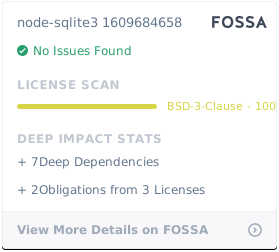
node-sqlite3 is BSD licensed.
Quick facts
npm install sqlite3Common pairings
Packages this one expects to find in the same project. Each is also a Sourcemap Explorer detection target.
How Sourcemap Explorer detects sqlite3
We catch sqlite3 from two complementary signals: bundled source paths and the embedded package.json. Modern bundlers (webpack, Vite, esbuild, Rollup, Turbopack) preserve the original node_modules/sqlite3/ paths inside the JavaScript sourcemap's sources[] array — that's the canonical signal. When the matching package.json is also captured in sourcesContent[], we read the exact version field — patch number included. No regex guessing, no version inference.
- 1
Confirm the site exposes sourcemaps
In DevTools Network, check the response headers of any application script for `SourceMap` or `X-SourceMap`. Failing that, fetch the script's last 4 KB and look for a `//# sourceMappingURL=` comment.
- 2
Find the package in the bundle
Open DevTools → Network → reload. Click any application script and look at its sourcemap. Inside, search `sources[]` for entries matching `node_modules/sqlite3/` — every match confirms the package is bundled. The matching `sourcesContent[i]` for `node_modules/sqlite3/package.json` gives you the exact installed version.
- 3
Read the version directly from package.json
Run `jq -r '. as $m | $m.sources | to_entries[] | select(.value | endswith("node_modules/sqlite3/package.json")) | $m.sourcesContent[.key] | fromjson | .version' bundle.js.map`. Sourcemap Explorer automates the same query in the popup.
Recent versions
FAQ
What is sqlite3 used for?
Asynchronous, non-blocking SQLite3 bindings
How can I tell if a website is using sqlite3?
Open the page in Chrome with the Sourcemap Explorer extension installed and read the Stack tab. We catch `sqlite3` from two complementary signals: `node_modules/sqlite3/` paths inside the JavaScript sourcemap, and the embedded `package.json` we read for exact-version detection. Without the extension you can do the same lookup manually in DevTools — the steps are listed in the "How Sourcemap Explorer detects" section above.
What is the latest version of sqlite3?
6.0.1, as published on the npm registry. The "Recent versions" table on this page lists the most recent 8 releases with their release dates. Sourcemap Explorer reports the version actually bundled into a site, which can lag the latest release by months on real-world deployments.
Where can I read more?
Project homepage: https://github.com/TryGhost/node-sqlite3. Source code: https://github.com/TryGhost/node-sqlite3. Published on npm: https://www.npmjs.com/package/sqlite3. Licensed as BSD-3-Clause.
Keep reading on Sourcemap Explorer
Practical guides
Detected by Sourcemap Explorer
When a bundle ships sourcemaps, we read the embedded package.json for sqlite3 and report the precise version. Without sourcemaps, an import / require in the page's scripts is enough to flag it.