

About bbPress
Are you looking for a timeless, elegant, and streamlined discussion board? bbPress is easy to integrate, easy to use, and is built to scale with your growing community.
bbPress is intentionally simple yet infinitely powerful forum software, built by contributors to WordPress.
Quick facts
Contributors
Matt Mullenweg, John James Jacoby, Jennifer M. Dodd, Stephen Edgar, Sergey Biryukov
Also catalogued by Sourcemap Explorer's tech database
bbPress is one of the WordPress plugins with a Wappalyzer fingerprint, which means Sourcemap Explorer detects it from the framework-level signals as well as the WordPress-specific /wp-content/plugins/bbpress/ asset path. This page is the canonical entry; a deep-dive on the detection signals lives in the dedicated guide below.
How Sourcemap Explorer detects bbPress
bbPress sits at v2.6.14 with 100K+ active installs, a 3.9/5 rating from 342 reviews, tested up to WordPress 6.9.6. Its last wp.org update landed 2025-07-02 3:44pm GMT, and it has been on the directory since 2010-01-13. Whatever the install count, every site running it serves the plugin's files from the same predictable location — and that is the signal Sourcemap Explorer reads.
WordPress plugins all load assets from a predictable path: /wp-content/plugins/<slug>/. Sourcemap Explorer enumerates every such URL on the rendered page (script tags and stylesheets) and pulls the version from the ?ver= cache-buster query parameter when WordPress emits one. The slug is then cross-referenced against the wordpress.org plugin directory to attach the human-readable name, author, install count, rating and changelog you see on this page.
- 1
Find /wp-content/plugins/bbpress/ in the Network tab
Open DevTools → Network → reload the page. Filter by "JS" or "CSS" and look for asset URLs starting with `/wp-content/plugins/bbpress/`. Each match confirms the plugin is loading on the page. Sourcemap Explorer enumerates every plugin path automatically and lists each one in the popup's Stack tab.
- 2
Read the version from the ?ver= query string
WordPress appends the plugin version as a cache-busting query parameter to its asset URLs (`?ver=2.6.14`). Sourcemap Explorer pulls this version directly. The version on this page (2.6.14) is the latest published on wp.org — the version on a real site may lag.
- 3
Cross-reference with wp.org for human-readable metadata
Once the plugin slug is identified, fetch `https://api.wordpress.org/plugins/info/1.2/?action=plugin_information&request[slug]=bbpress` to read the human-readable name, author, install count, rating and changelog. This page already does that for you.
Plugin ecosystem context
A WordPress forum plugin (bbPress, Asgaros Forum, BuddyPress). These plugins render forum / community interfaces with recognisable class signatures. Within that group, bbPress (100K+ active installs) is tagged discussion, forum, forums, support on wp.org.
Screenshots
Installation
From your WordPress dashboard
- Visit ‘Plugins > Add New’
- Search for ‘bbPress’
- Activate bbPress from your Plugins page. (You will be greeted with a Welcome page.)
From WordPress.org
- Download bbPress.
- Upload the ‘bbpress’ directory to your ‘/wp-content/plugins/’ directory, using your favorite method (ftp, sftp, scp, etc…)
- Activate bbPress from your Plugins page. (You will be greeted with a Welcome page.)
Once Activated
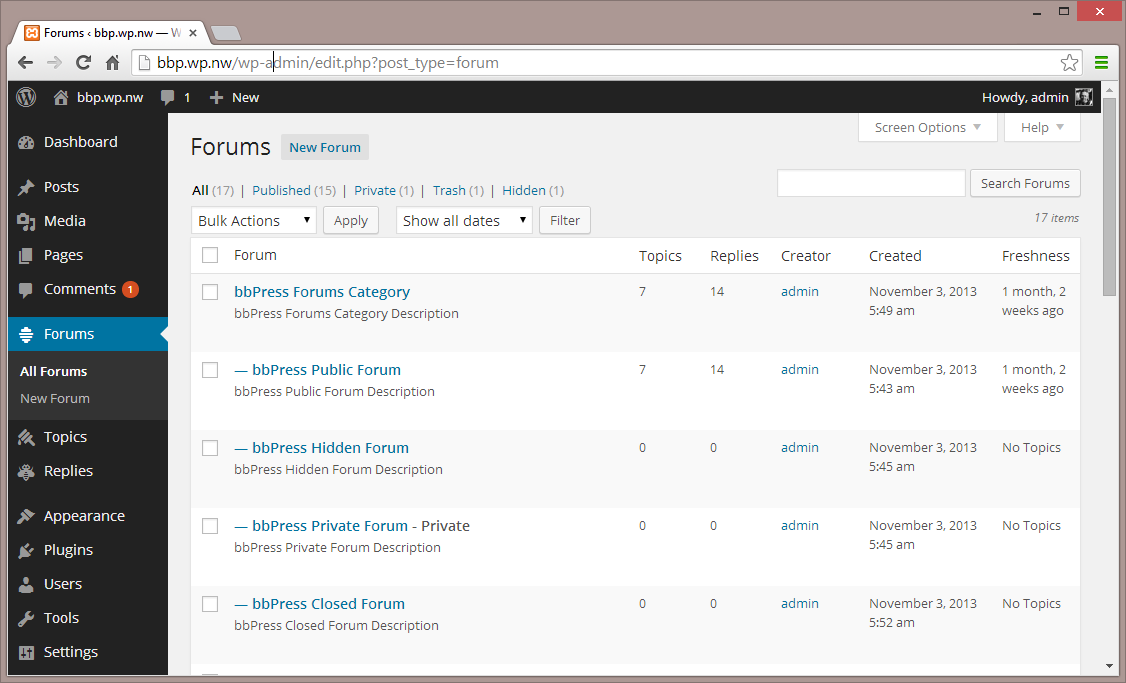
- Visit ‘Forums > Add New’ and create some forums. (You can always delete these later.)
- If you have pretty permalinks enabled, visit example.com/forums/, or if you do not have pretty permalinks enabled, visit example.com?post_type=forum
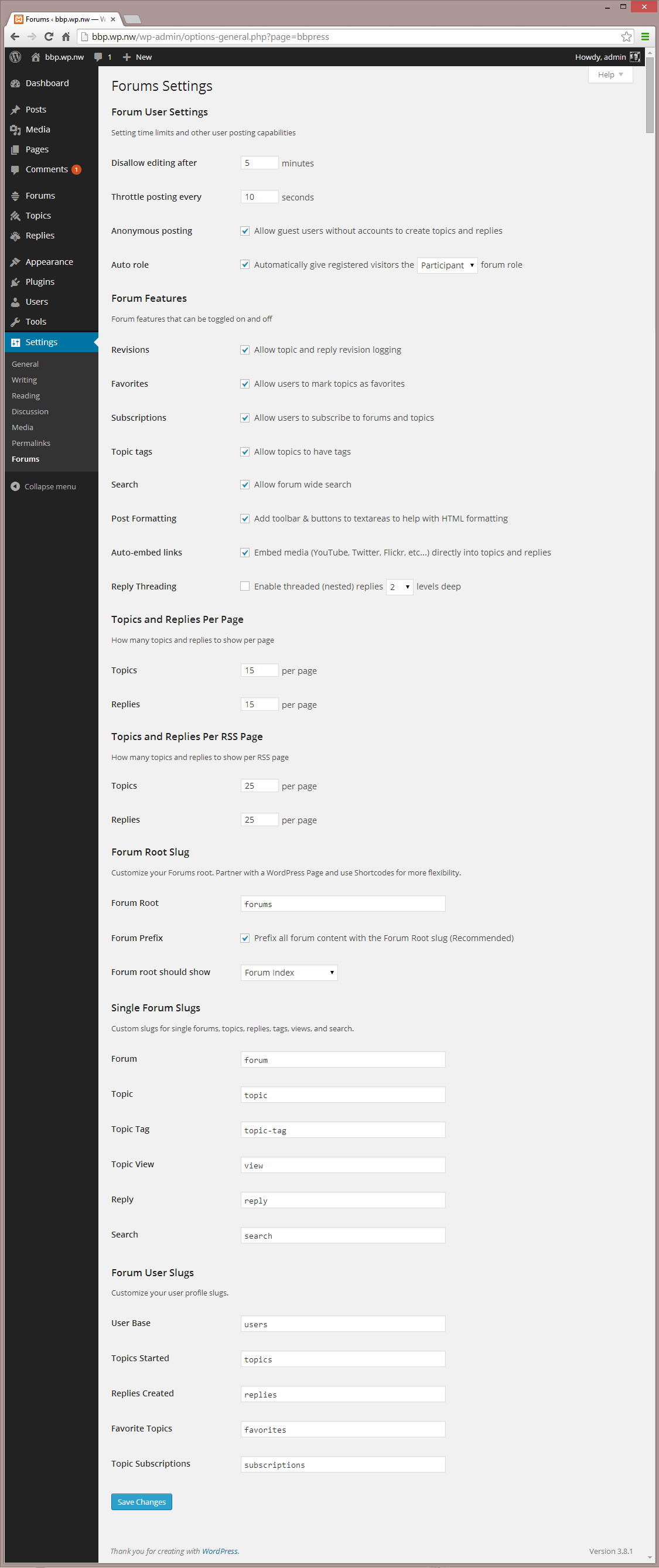
- Visit ‘Settings > Forums’ and configure the settings to best match the needs of your community.
- Visit ‘Tools > Forums > Import Forums’ if you have an existing forum to convert to bbPress.
Once Configured
- bbPress comes with a robust theme-compatibility API that does its best to make bbPress look and feel right with just-about any WordPress theme. You may need to adjust some styling on your own to make everything look pristine.
- You may want to customize the register/activation/sign-in/lost-password flows, to better suit your site. bbPress comes with a bevy of shortcodes to make this possible, listed here: https://codex.bbpress.org/shortcodes/
- bbPress also comes with built-in support for Akismet and BuddyPress, two very popular and very powerful WordPress plugins. If you’re using either, visit your Forum Settings page and ensure that integration appears correct.
Changelog
Check out the releases page
Detected by Sourcemap Explorer
We enumerate every /wp-content/plugins/bbpress/ path on the page, and pull the version from the ?ver= query string when WordPress emits one (wp.org currently lists v2.6.14, updated 2025-07-02 3:44pm GMT).