

About BuddyPress
Are you looking for modern, robust, and sophisticated social network software? BuddyPress is a suite of components that are common to a typical social network, and allows for great add-on features through WordPress’s extensive plugin system.
Aimed at site builders & developers, BuddyPress is focused on ease of integration, ease of use, and extensibility. It is deliberately powerful yet unbelievably simple social network software, built by contributors to WordPress.
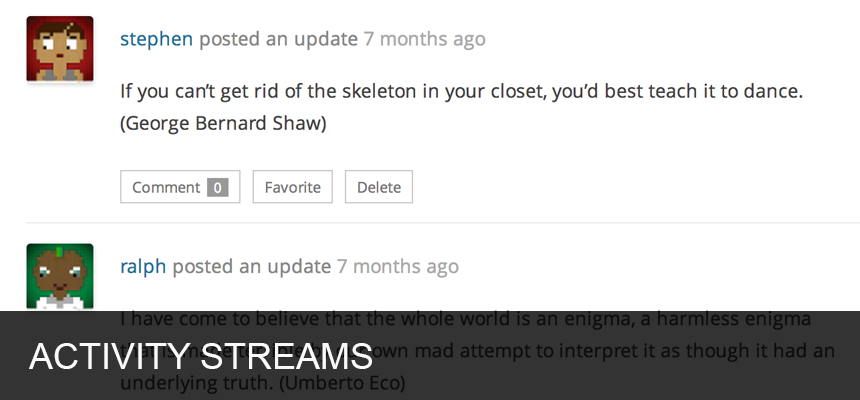
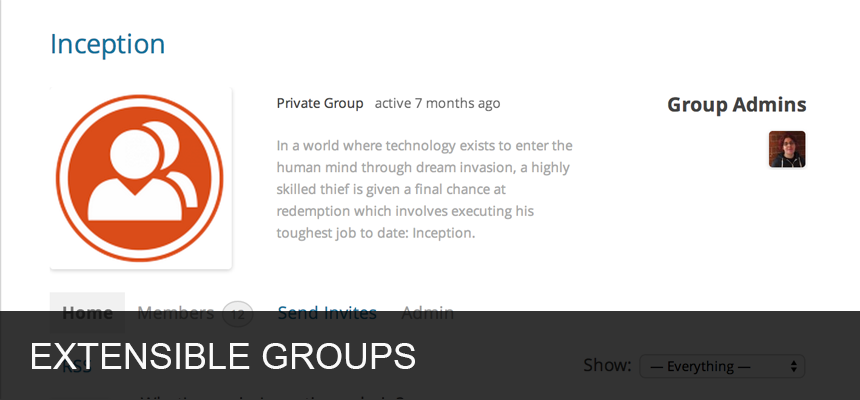
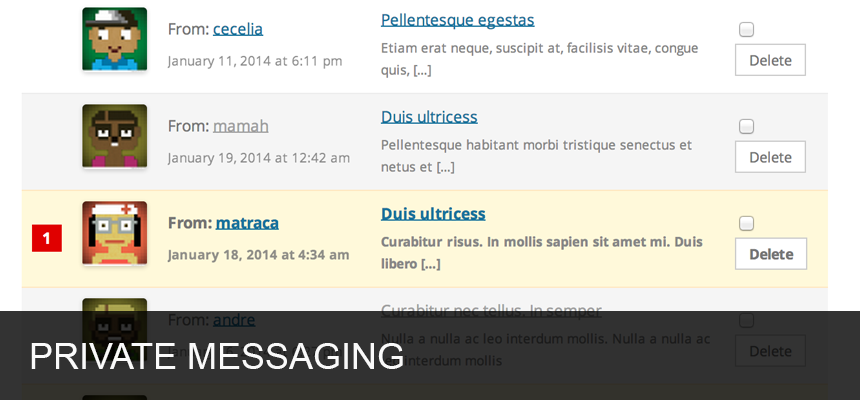
Members can register on your site to create user profiles, have private conversations, make social connections, create and interact in groups, and much more. Truly a social network in a box, BuddyPress helps you build a home for your company, school, sports team, or other niche community.
Built with developers in mind
BuddyPress helps site builders & developers add community features to their websites. It comes with a robust theme compatibility API that does its best to make every BuddyPress content page look and feel right with just about any WordPress theme. You will likely need to adjust some styling on your own to make everything look pristine.
BuddyPress themes are just WordPress themes with additional templates, and with a little work, you could easily create your own, too! A handful of BuddyPress-specific themes are readily available for download from WordPress.org, and lots more are available from third-party theme authors.
BuddyPress also comes with built-in support for Akismet and bbPress, two very popular and very powerful WordPress plugins. If you’re using either, visit their settings pages and ensure everything is configured to your liking.
The BuddyPress Add-ons
WordPress.org is home to some amazing Add-ons for BuddyPress, including:
NB: BP Classic is a backwards compatibility Add-on for BuddyPress 12.0 and up bringing back the BP Legacy URL parser, the BP Default theme and BP Legacy widgets.
Go to BuddyPress profile on WordPress.org to find them all!
Join our community
If you’re interested in contributing to BuddyPress, we’d love to have you. Head over to the BuddyPress Documentation site to find out how you can pitch in.
BuddyPress is available in many languages thanks to the volunteer efforts of individuals all around the world. Check out our translations page on the BuddyPress Documentation site for more details. If you are a polyglot, please consider helping translate BuddyPress into your language.
Growing the BuddyPress community means better software for everyone!
Quick facts
Contributors
John James Jacoby, Paul Wong-Gibbs, Boone Gorges, r-a-y, @mercime, Michael Beckwith, David Cavins, Hugo Ashmore, Tammie Lister, Slava Abakumov, David Bisset, Henry, Stephen Edgar, Laurens Offereins, Renato Alves, modemlooper, danbp, Venutius, Andy Peatling, shanebp, emaralive
Also catalogued by Sourcemap Explorer's tech database
BuddyPress is one of the WordPress plugins with a Wappalyzer fingerprint, which means Sourcemap Explorer detects it from the framework-level signals as well as the WordPress-specific /wp-content/plugins/buddypress/ asset path. This page is the canonical entry; a deep-dive on the detection signals lives in the dedicated guide below.
How Sourcemap Explorer detects BuddyPress
BuddyPress sits at v14.5.2 with 90K+ active installs, a 4.1/5 rating from 375 reviews, tested up to WordPress 7.0.2. Its last wp.org update landed 2026-07-29 6:58pm GMT, and it has been on the directory since 2009-04-23. Whatever the install count, every site running it serves the plugin's files from the same predictable location — and that is the signal Sourcemap Explorer reads.
WordPress plugins all load assets from a predictable path: /wp-content/plugins/<slug>/. Sourcemap Explorer enumerates every such URL on the rendered page (script tags and stylesheets) and pulls the version from the ?ver= cache-buster query parameter when WordPress emits one. The slug is then cross-referenced against the wordpress.org plugin directory to attach the human-readable name, author, install count, rating and changelog you see on this page.
- 1
Find /wp-content/plugins/buddypress/ in the Network tab
Open DevTools → Network → reload the page. Filter by "JS" or "CSS" and look for asset URLs starting with `/wp-content/plugins/buddypress/`. Each match confirms the plugin is loading on the page. Sourcemap Explorer enumerates every plugin path automatically and lists each one in the popup's Stack tab.
- 2
Read the version from the ?ver= query string
WordPress appends the plugin version as a cache-busting query parameter to its asset URLs (`?ver=14.5.2`). Sourcemap Explorer pulls this version directly. The version on this page (14.5.2) is the latest published on wp.org — the version on a real site may lag.
- 3
Cross-reference with wp.org for human-readable metadata
Once the plugin slug is identified, fetch `https://api.wordpress.org/plugins/info/1.2/?action=plugin_information&request[slug]=buddypress` to read the human-readable name, author, install count, rating and changelog. This page already does that for you.
Plugin ecosystem context
A WordPress community plugin (BuddyPress, bbPress). These plugins extend WordPress with social-network-style features. Within that group, BuddyPress (90K+ active installs) is tagged community, group, members, network on wp.org.
Screenshots



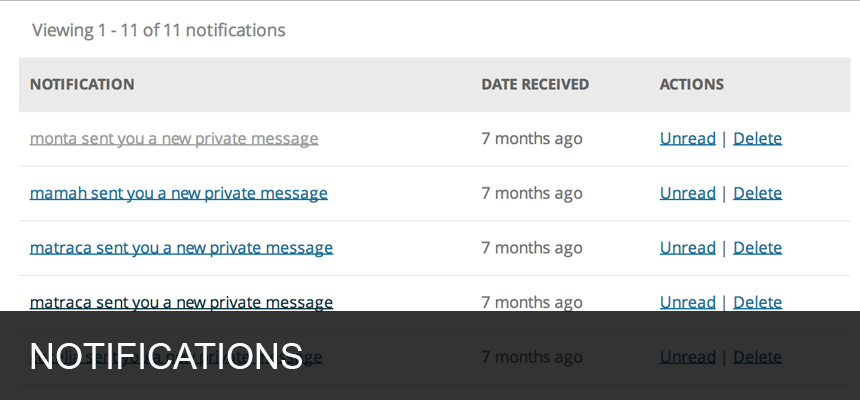
Installation
Requirements
To run BuddyPress, we recommend your host supports:
- PHP version 7.4 or greater.
- MySQL version 5.7 or greater OR MariaDB version 10.4 or greater.
- HTTPS support
Note: If you are in a legacy environment where you only have older PHP or MySQL versions, WordPress also works with PHP 5.6.20+ and MySQL 5.0+, but these versions have reached official End Of Life and as such may expose your site to security vulnerabilities.
Automatic installation
Automatic installation is the easiest option as WordPress handles everything itself. To do an automatic install of BuddyPress, log in to your WordPress dashboard, navigate to the Plugins menu and click Add New.
In the search field type “BuddyPress” and click Search Plugins. Once you’ve found it, you can view details about the latest release, such as community reviews, ratings, and description. Install BuddyPress by simply pressing “Install Now”.
Once activated:
- Visit ‘Settings > BuddyPress > Components’ and adjust the active components to match your community (you can always toggle these later).
- Visit ‘Settings > BuddyPress > Pages’ and setup your directories and special pages. We create a few automatically, but suggest you customize these to fit the flow and verbiage of your site.
- Visit ‘Settings > BuddyPress > Settings’ and take a moment to match BuddyPress’s settings to your expectations. We pick the most common configuration by default, but every community is different.
FAQ
Yes! BuddyPress works out-of-the-box with nearly every WordPress theme.
Yes! If your WordPress installation has multisite enabled, BuddyPress will support the global tracking of blogs, posts, comments, and even custom post types with a little bit of custom code.
Furthermore, BuddyPress can be activated and operate in just about any scope you need for it to:
- Activate at the site level to only load BuddyPress on that site.
- Activate at the network level for full integration with all sites in your network. (This is the most common multisite installation type.)
- Enable multiblog mode to allow your BuddyPress content to be displayed on any site in your WordPress Multisite network, using the same central data.
- Extend BuddyPress with a third-party multi-network plugin to allow each site or network to have an isolated and dedicated community, all from the same WordPress installation.
Read custom BuddyPress activations for more information.
Our community provides free support at https://buddypress.org/support/.
Our documentation site can be found at https://codex.buddypress.org/.
Report bugs, suggest ideas, and participate in development at https://buddypress.trac.wordpress.org.
Check out the development trunk of BuddyPress from Subversion at https://buddypress.svn.wordpress.org/trunk/, or clone from Git at git://buddypress.git.wordpress.org/.
BuddyPress is free software, built by an international community of volunteers. Some contributors to BuddyPress are employed by companies that use BuddyPress, while others are consultants who offer BuddyPress-related services for hire. No one is paid by the BuddyPress project for his or her contributions.
If you would like to provide monetary support to BuddyPress, please consider a donation to the WordPress Foundation, or ask your favorite contributor how they prefer to have their efforts rewarded.
Try bbPress. It integrates with BuddyPress Groups, Profiles, and Notifications. Each group on your site can choose to have its own forum, and each user’s topics, replies, favorites, and subscriptions appear in their profiles.
Changelog
14.5.2
See: https://codex.buddypress.org/releases/version-14-5-2/
14.5.0
See: https://codex.buddypress.org/releases/version-14-5-0/
14.4.0
See: https://codex.buddypress.org/releases/version-14-4-0/
14.3.4
See: https://codex.buddypress.org/releases/version-14-3-4/
14.3.3
See: https://codex.buddypress.org/releases/version-14-3-3/
14.3.1
See: https://codex.buddypress.org/releases/version-14-3-1/
14.2.1
See: https://codex.buddypress.org/releases/version-14-2-1/
14.1.0
See: https://codex.buddypress.org/releases/version-14-1-0/
14.0.0
See: https://codex.buddypress.org/releases/version-14-0-0/
12.5.1
Security fix: The Members block was vulnerable to a Stored Cross-Site Scripting. Discovered by Wesley (wcraft) from the Wordfence organization.
See: https://codex.buddypress.org/releases/version-12-5-1/
12.5.0
See: https://codex.buddypress.org/releases/version-12-5-0/
12.4.1
Security fix: The dynamic Members, dynamic Friends & dynamic Groups blocks were vulnerable to a Stored Cross-Site Scripting. Discovered by Wesley (wcraft) from the Wordfence organization.
See: https://codex.buddypress.org/releases/version-12-4-1/
12.4.0
See: https://codex.buddypress.org/releases/version-12-4-0/
12.3.0
See: https://codex.buddypress.org/releases/version-12-3-0/
12.2.0
See: https://codex.buddypress.org/releases/version-12-2-0/
12.1.1
See: https://codex.buddypress.org/releases/version-12-1-1/
12.0.0
See: https://codex.buddypress.org/releases/version-12-0-0/
11.4.0
See: https://codex.buddypress.org/releases/version-11-4-0/
11.3.2
See: https://codex.buddypress.org/releases/version-11-3-2/
11.3.1
See: https://codex.buddypress.org/releases/version-11-3-1/
11.2.0
See: https://codex.buddypress.org/releases/version-11-2-0/
11.1.0
See: https://codex.buddypress.org/releases/version-11-1-0/
11.0.0
See: https://codex.buddypress.org/releases/version-11-0-0/
10.6.0
See: https://codex.buddypress.org/releases/version-10-6-0/
10.5.0
See: https://codex.buddypress.org/releases/version-10-5-0/
10.4.0
See: https://codex.buddypress.org/releases/version-10-4-0/
10.3.0
See: https://codex.buddypress.org/releases/version-10-3-0/
10.2.0
See: https://codex.buddypress.org/releases/version-10-2-0/
10.1.0
See: https://codex.buddypress.org/releases/version-10-1-0/
10.0.0
See: https://codex.buddypress.org/releases/version-10-0-0/
Detected by Sourcemap Explorer
We enumerate every /wp-content/plugins/buddypress/ path on the page, and pull the version from the ?ver= query string when WordPress emits one (wp.org currently lists v14.5.2, updated 2026-07-29 6:58pm GMT).