
Duplicator – Backups & Migration Plugin – Cloud Backups, Scheduled Backups, & More
About Duplicator – Backups & Migration Plugin – Cloud Backups, Scheduled Backups, & More
WordPress Backup & Migration Plugin
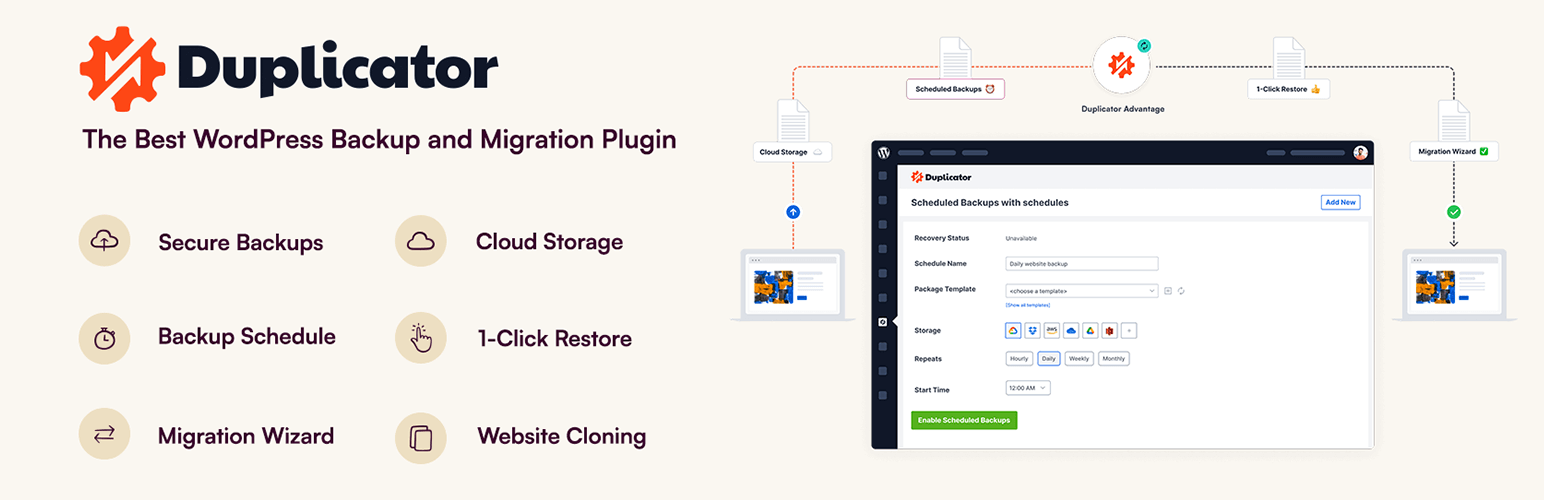
Duplicator provides a simple way to move WordPress sites, create reliable backups, or clone a site for staging. With Duplicator, you can easily migrate, transfer, or clone your WordPress site between domains or hosts with no downtime. Create full backups of your website, or package your entire site to download and install elsewhere with only a few steps.
At Duplicator, reliabilty, security, and ease of use are our top priorities. Our variety of cloud backup integrations and easy migration wizard make Duplicator the most beginner-friendly backup and migration plugin on the market. You don’t have to hire a developer. Create a backup and migrate sites in just a few minutes.
Duplicator Pro
This plugin is the Lite version of Duplicator Pro, which comes with scheduled backups, cloud storage integrations, multisite support, and more. Get Duplicator Pro for the complete migration and backup solution.
Easy Site Migration, Backup, and Cloning
Duplicator streamlines site migrations by packaging your website files and database into a single file, known as a “backup”. Download and re-install your “backup” on any new WordPress location or server without dealing with complicated setups. Launch at your new destination without installing WordPress. Duplicator is the only migration and backup plugin that works on an empty site.
See why experts love Duplicator:
“Duplicator provides an easy to use tool to make backups of your site, or to transfer it to another location.”
Richard McAdams – Expert Web Developer
Secure WordPress Backups
Duplicator offers cloud WordPress backups with military-grade encryption. Automatically backup your entire WordPress site to secure cloud storage.
Recovery Points (1-click Restore)
Duplicator makes 1-click restores for WordPress backups easy and stress-free. Quickly restore your entire website in minutes just like a time machine.
Fast WordPress Migrations
Duplicator makes WordPress website migrations fast and stress-free. Quickly move to a new host, domain, or server. No downtime, no data loss, and no coding required.
WordPress Multisite Backups
Duplicator offers automatic WordPress Multisite backups with easy 1-click restore. Safely backup your entire Multisite network to secure cloud storage.
WooCommerce Backups
Duplicator offers reliable WooCommerce backups with military-grade encryption. Easily and automatically back up your entire online store to secure cloud storage.
Pre-configured WordPress Installs
Never start from scratch with Duplicator’s smart pre-configured WordPress installs. Save time and hassle duplicating ready-made sites with 1-click.
WordPress Recovery Points with Quick Rollbacks
Duplicator offers hourly recovery points and 1-click rollbacks for WordPress sites. Quickly and automatically recover from failed WordPress updates or disasters.
Partial WordPress Backup Plugin
Duplicator makes partial backups for WordPress quick and easy. Save storage and restore sites faster with database-only, media-only, or completely custom backups.
Server to Server WordPress Migration Import Tool
Duplicator makes server-to-server WordPress migrations fast and hassle-free. Quickly import your website to a new server in minutes. No downtime, no data loss.
Smart WordPress Migration Wizard
Duplicator’s smart WordPress migration wizard makes transferring your website to a new host or server effortless. No downtime, no data loss, and no code required.
Drag & Drop Import WordPress Website Tool
Migrating WordPress sites has never been easier with Duplicator’s drag & drop import tools. Quickly transfer your site to a new host or server in minutes, no code required.
Clone WordPress Website Plugin
Duplicator clones your entire WordPress website with 1-click, no code needed. Perfect for staging sites, sandbox, or site migration.
WordPress Staging Site
Duplicator Pro lets you create a WordPress staging site directly from your WordPress dashboard. Safely test plugin updates, theme changes, and new features on a staging environment before pushing changes to your live site. No manual setup, no separate hosting, and no risk to your production site.
Duplicator Pro Features
Duplicator Pro takes Duplicator to the next level with features you’ll love, such as:
- WordPress staging sites – create a staging copy of your site to safely test changes before going live
- Drag and Drop installs – just drag the backup file to the destination site!
- Scheduled backups
- Cloud Storage to Dropbox Backups, Google Drive Backups, Microsoft OneDrive Backups, Amazon S3 Backups and FTP/SFTP Backups
- Custom Backups and Cloning: want just plugins, or just themes, just the database? No problem!
- A special 2-step streamlined installer mode for mega-fast installs
- Recovery Points added for very fast emergency site restores
- Support for managed and shared hosts such as WordPress.com, WPEngine, GoDaddy Managed, and more
- Multi-threaded to support larger websites & databases
- Migrate an entire multisite WordPress network or a sub site as a standalone site
- Database and user creation in the installer with cPanel API
- Connect to cPanel directly from the installer
- Custom plugin hooks for developers
- Advanced permissions
- Email notifications
- Professional support
- … and much more!
Supported Backup Cloud Storage Integrations
We support any Amazon S3 compatible storage providers plus these first-party integrations.
- Localhost Backups
- FTP/ SFTP Backups
- Dropbox Backups
- Google Drive Backups
- Microsoft OneDrive Backups
- Amazon S3 Backups
- Cloudflare R2 Backups
- Wasabi Backups
- Dream Objects Backups
- Vultr Backups
- Digital Ocean Spaces Backups
- Google Cloud Storage Backups
- Backblaze B2 Storage Backups
- Linode Object Storage Backups
You can easily see why Duplicator is the best WordPress backup and migration plugin on the market! Want to unlock these features? Upgrade to our Pro version
Branding Guidelines
Duplicator® is a registered trademark of Snap Creek LLC. When writing about the backup & migration plugin by Duplicator, please make sure to uppercase the initial first letter.
- Duplicator (correct)
- duplicator (incorrect)
Quick facts
Contributors
SeedProd, Syed Balkhi, andreamk
How Sourcemap Explorer detects Duplicator – Backups & Migration Plugin – Cloud Backups, Scheduled Backups, & More
Duplicator – Backups & Migration Plugin – Cloud Backups, Scheduled Backups, & More sits at v1.5.16.1 with 1.0M+ active installs, a 4.9/5 rating from 4,920 reviews, tested up to WordPress 7.0.2. Its last wp.org update landed 2026-05-22 9:05pm GMT, and it has been on the directory since 2011-06-07. Whatever the install count, every site running it serves the plugin's files from the same predictable location — and that is the signal Sourcemap Explorer reads.
WordPress plugins all load assets from a predictable path: /wp-content/plugins/<slug>/. Sourcemap Explorer enumerates every such URL on the rendered page (script tags and stylesheets) and pulls the version from the ?ver= cache-buster query parameter when WordPress emits one. The slug is then cross-referenced against the wordpress.org plugin directory to attach the human-readable name, author, install count, rating and changelog you see on this page.
- 1
Find /wp-content/plugins/duplicator/ in the Network tab
Open DevTools → Network → reload the page. Filter by "JS" or "CSS" and look for asset URLs starting with `/wp-content/plugins/duplicator/`. Each match confirms the plugin is loading on the page. Sourcemap Explorer enumerates every plugin path automatically and lists each one in the popup's Stack tab.
- 2
Read the version from the ?ver= query string
WordPress appends the plugin version as a cache-busting query parameter to its asset URLs (`?ver=1.5.16.1`). Sourcemap Explorer pulls this version directly. The version on this page (1.5.16.1) is the latest published on wp.org — the version on a real site may lag.
- 3
Cross-reference with wp.org for human-readable metadata
Once the plugin slug is identified, fetch `https://api.wordpress.org/plugins/info/1.2/?action=plugin_information&request[slug]=duplicator` to read the human-readable name, author, install count, rating and changelog. This page already does that for you.
Plugin ecosystem context
A WordPress backup plugin (UpdraftPlus, Duplicator, BackWPup). These plugins schedule and store site backups; their plugin assets load primarily in the admin but sometimes leak admin-bar widgets to the frontend. Within that group, Duplicator – Backups & Migration Plugin – Cloud Backups, Scheduled Backups, & More (1.0M+ active installs) is tagged backup, cloud backup, database backup, migration on wp.org.
Screenshots


FAQ
Duplicator is perfect for business owners, bloggers, designers, developers, photographers, and basically everyone else. If you want to create a WordPress Backup or Migration, then you need to use Duplicator.
Duplicator is a WordPress Plugin. In order to use Duplicator, you must have a self-hosted WordPress site. That’s all.
Absolutely not. You can create backups and migrations without any coding knowledge. Duplicator is the most beginner-friendly backup solution in the market.
Absolutely not. Duplicator is carefully built with performance in mind. We have developed everything with best practices and modern standards to ensure things run smooth and fast.
Yes. Duplicator makes backing up WooCommerce sites easy and stress-free.
Yes, however you will need Duplicator Pro for full multisite network migrations &backups and the ability to install a multisite subsite as a standalone site.
Purchase a Pro License for quick support Duplicator Pro
Yes. Please see all documents at duplicator.com
- Upload
duplicatorfolder to the/wp-content/plugins/directory - Activate the plugin through the ‘Plugins’ menu in WordPress
- Click on the Duplicator link from the main menu
- Check out the help by clicking the help icon and create your first backup.
The Duplicator requires php 5.3 or higher.
Changelog
Please see the following url:
https://duplicator.com/knowledge-base/changelog/
Detected by Sourcemap Explorer
We enumerate every /wp-content/plugins/duplicator/ path on the page, and pull the version from the ?ver= query string when WordPress emits one (wp.org currently lists v1.5.16.1, updated 2026-05-22 9:05pm GMT).