
Happy Addons for Elementor
About Happy Addons for Elementor
HappyAddons is a comprehensive Elementor addon built and maintained by weDevs, a company trusted by the WordPress community for over 13 years. With 150+ Free & Pro Elementor Widgets, 35+ advanced Features, a Free Theme Builder, 500+ Section Blocks, 70+ Full Page Templates, and 650+ Design Presets, you can build websites faster with everything you need in one place.
HappyAddons includes a full Theme Builder by which you can build Header, Footer, Single Post Template, and Archive Page Builder – at no extra charge. This means you can build a complete site theme without requiring Elementor Pro.
Useful Links
Demo | Docs | Videos | Support | IdeaSharing | FacebookGroup | Get Pro
🔑 Key Highlights
– 12 Million+ Downloads
– 150+ Free & Pro Widgets – More widgets than any competitor at this price tier
– 35+ top-notch features
– Free Theme Builder
– 400+ Design Presets – Professional designs applied in one click, fully customizable
– 448+ Section Blocks & 81+ Full Page Templates – Start any site in minutes
– No extra loading – Enable only the widgets you need, keep your site fast
– Works with any WordPress theme
– Expert support available 24/7
70+ Free Elementor Widgets
HappyAddons free version includes 70+ Elementor widgets, a full Theme Builder, and more – all at zero cost. We’ve grouped them into a few categories below to help you quickly find the ones you need.
🧩 General – Core building widgets for every type of page
- Card: Showcase products, articles, and news with image, text, and badge in one widget
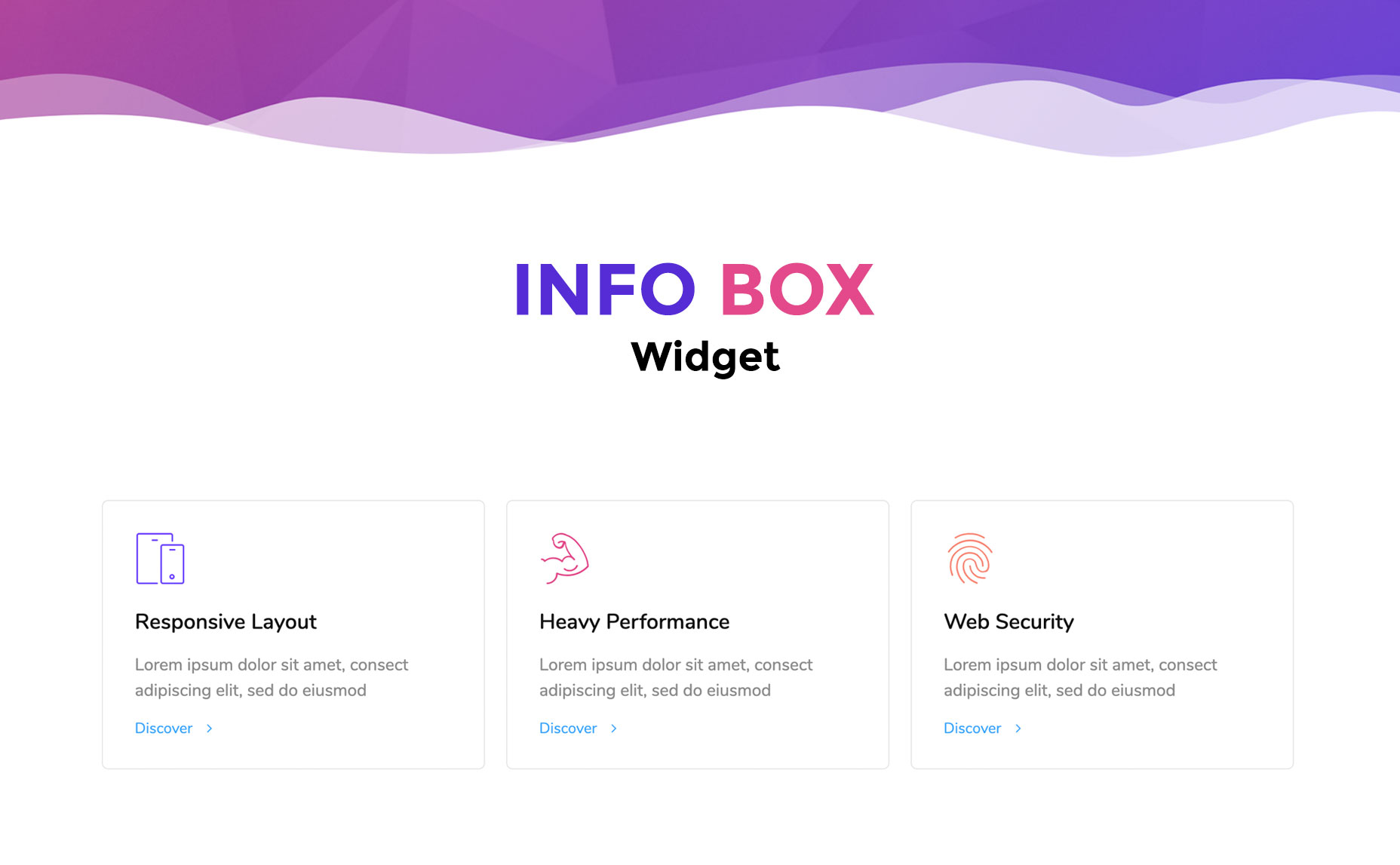
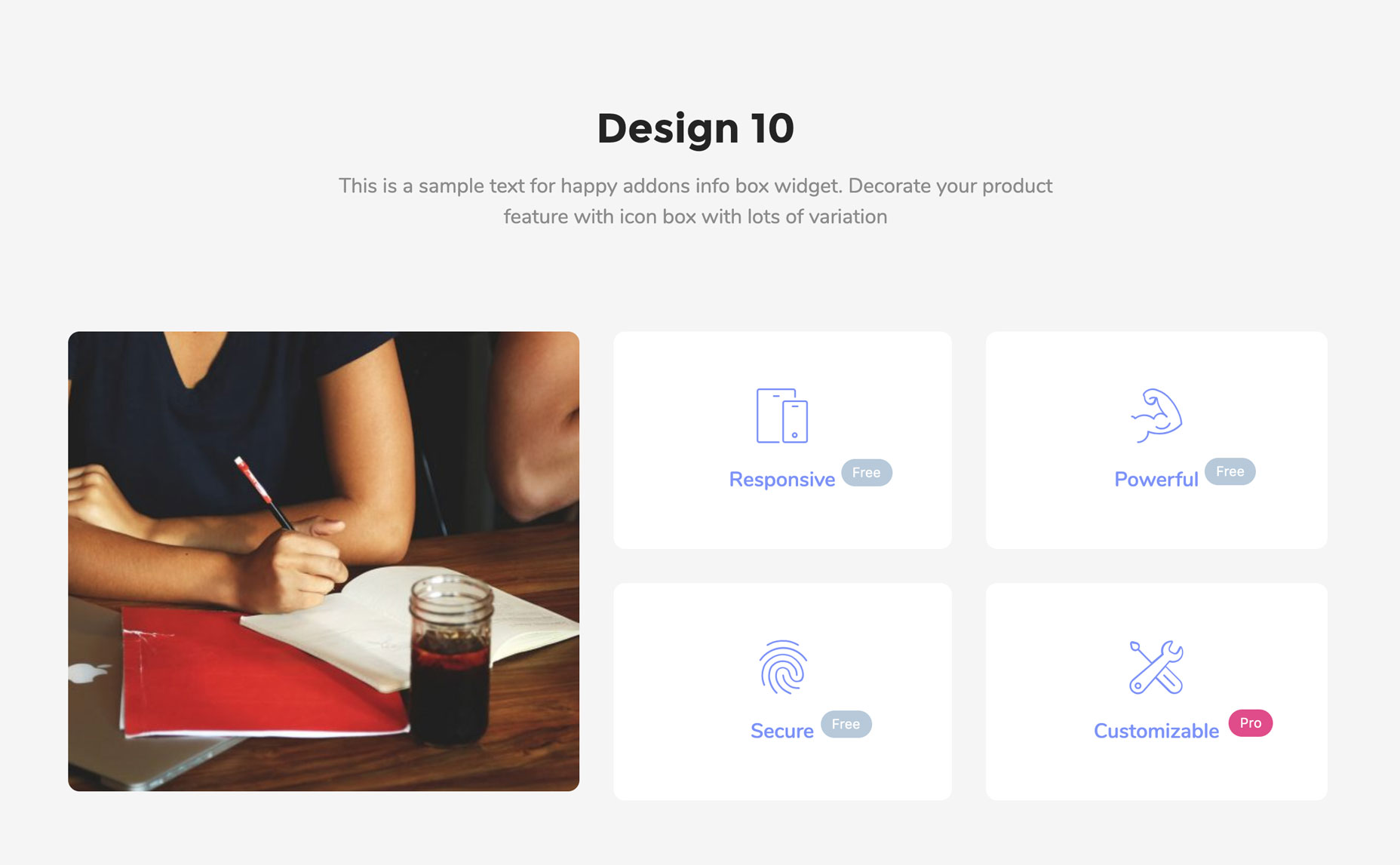
- Info Box: Display key information with icons, headings, and descriptions
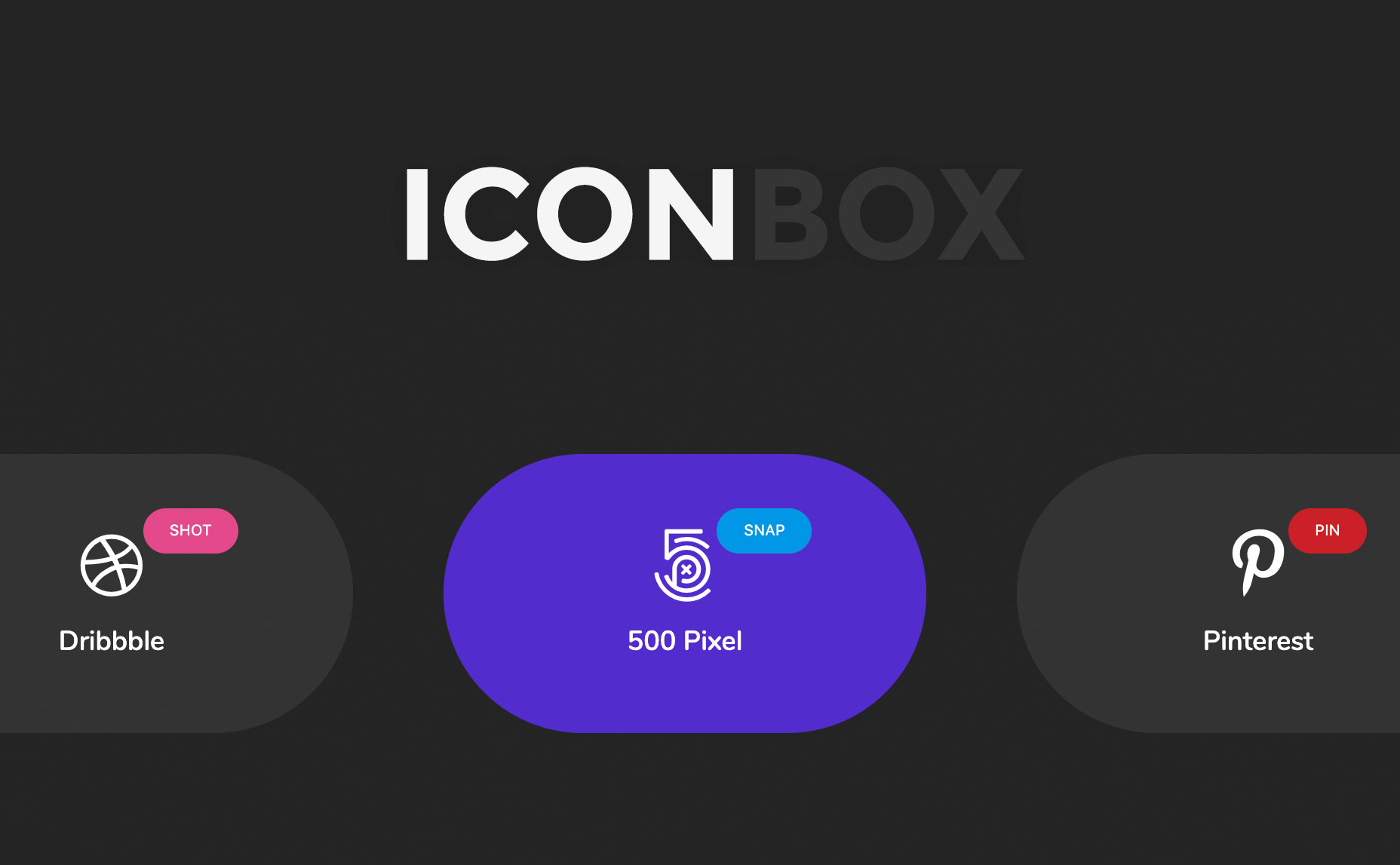
- Icon Box: Icon-first layout for presenting services or features cleanly
- Team Member: Introduce your team with photos, roles, bios, and social links
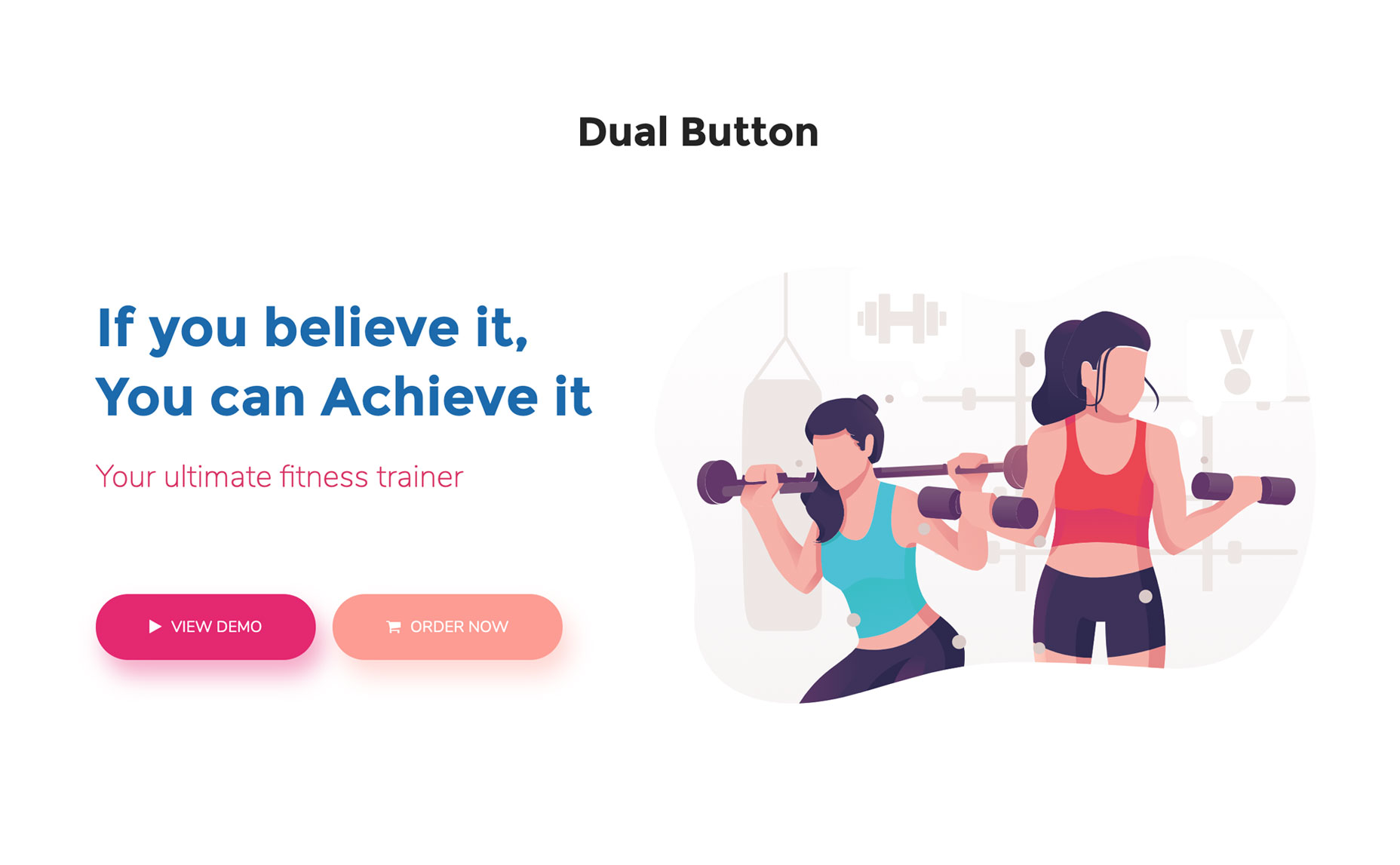
- Dual Button: Two CTA buttons in a single, styled container
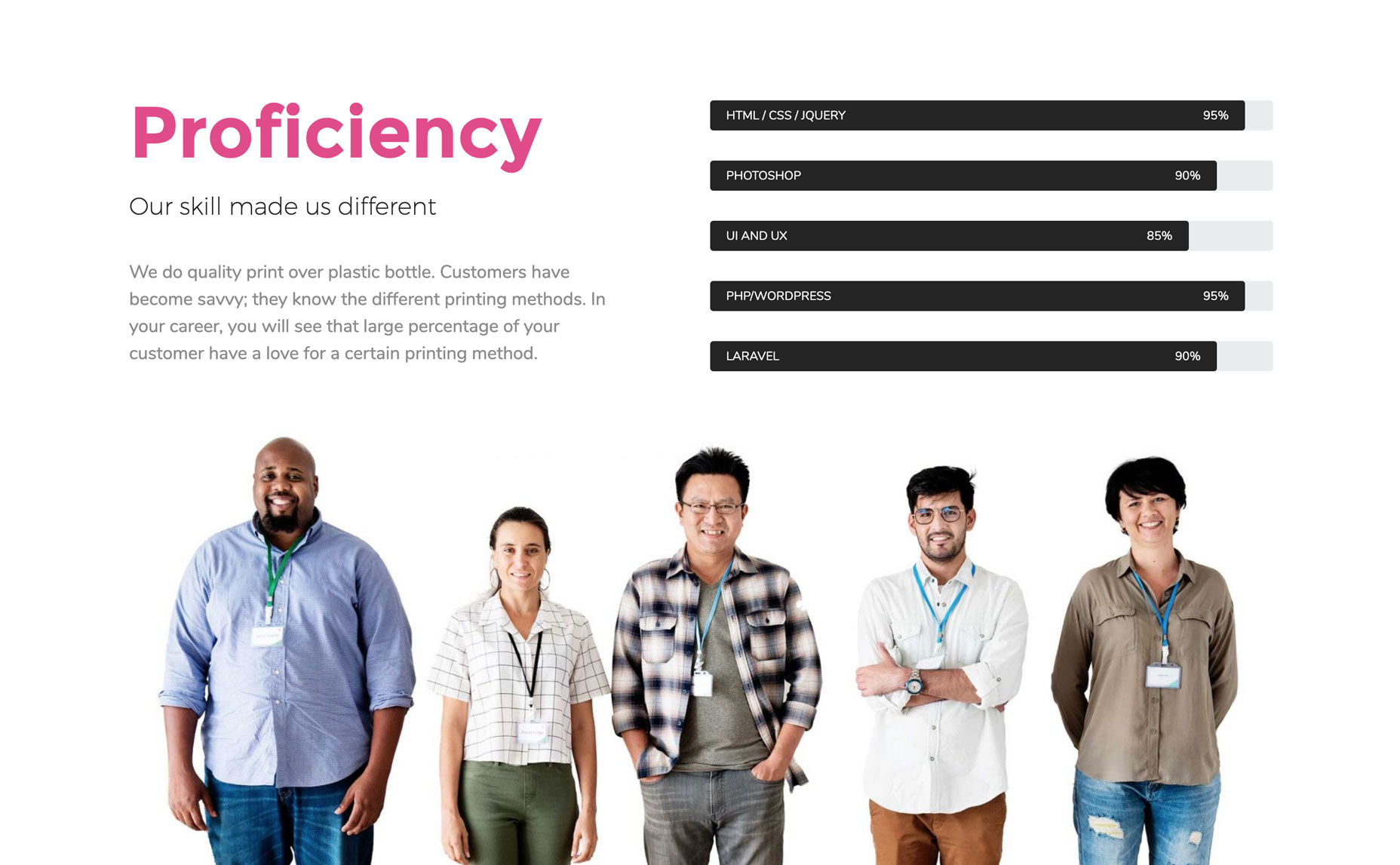
- Skill Bars: Animated progress bars to showcase skills or completion rates
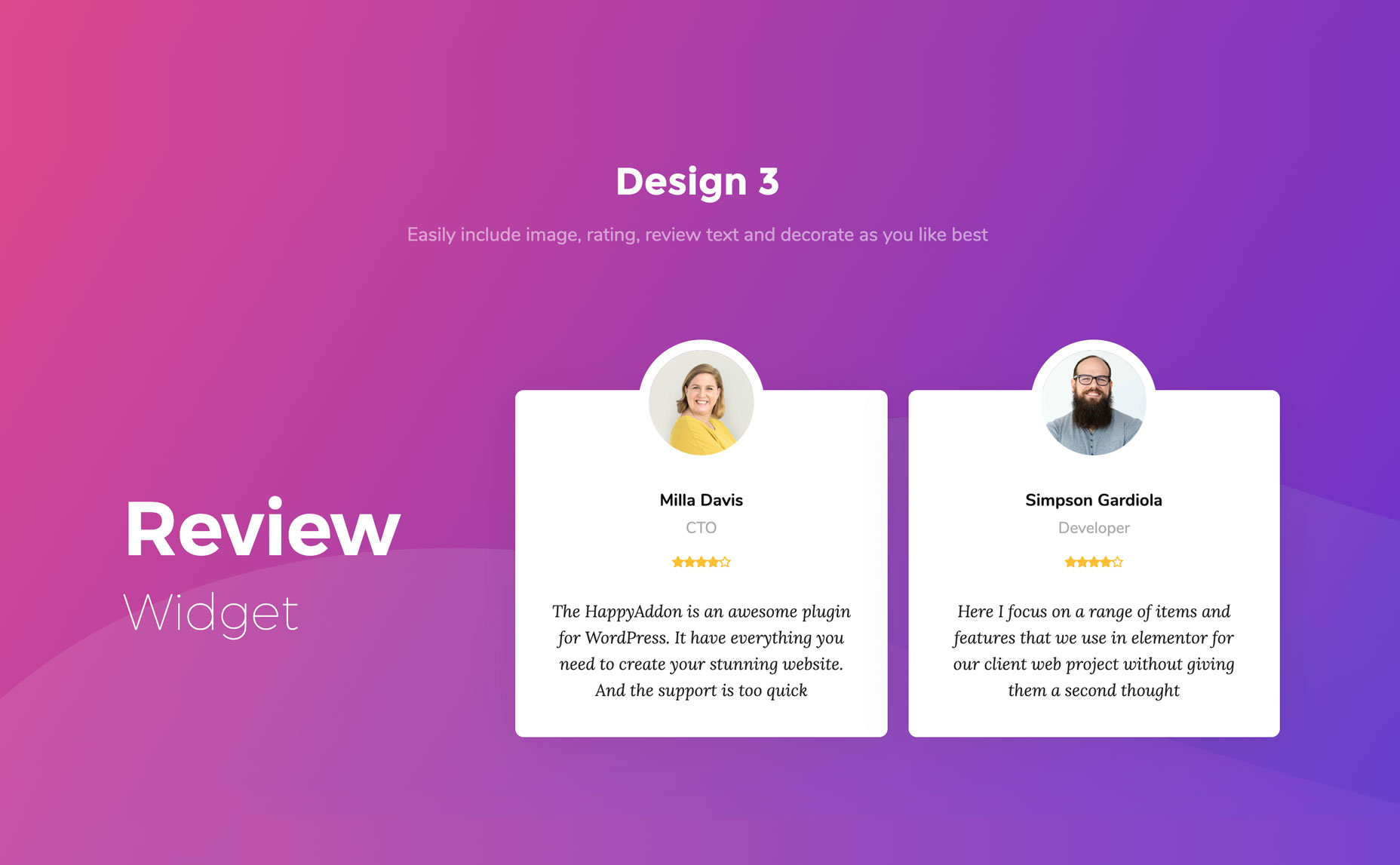
- Review: Star-rated testimonial blocks with image and text
- Testimonial: Client feedback sections in multiple layout styles
- Logo Grid: Display client or partner logos in a clean grid
- Justified Grid: Isotope-style photo galleries with filtering
- Image Grid: Simple, stylish image grid layouts
- Step Flow: Visual step-by-step diagrams for processes or workflows
- Comparison Table: Side-by-side comparisons for products, plans, or services
- PDF View: Embed and display PDFs directly on any page
- Age Gate: Age verification popup for restricted content
- Content Switcher: Toggle between two sections or pricing plans
- Lightbox: Video and image lightbox popups
- Post Tab: Showcase posts within tabs
- Post List: List any posts
- Taxonomy List: Create list of posts – sorting categories, tags
- Image Stack Group: Show images in a stack group
- Photo Stack: Create a critical layout of Image stacks
- Lord Icon: Add lord icons in site
🎨 Creative – Make your site visually stand out
- Gradient Heading: Eye-catching multi-color gradient headlines
- Image Compare: Before/after image slider with drag control
- Image Hover Effect: 20+ CSS hover effects applied to any image
- Image Accordion: Collapsible image panels that expand on hover or click
- Liquid Hover Image: Liquid distortion effect on image hover
- Creative Button: Buttons with magnetic, bubble, and advanced hover effects
- Animated Link: Link text with animated underline and hover effects
- Text Scroll: Horizontally scrolling marquee-style text
- 360° Rotation: Interactive 360-degree product image viewer
- Number: Create number blocks
- Fun-Factor: It’s a counter widget
- Promo Box: Add promotional content box
- WhatsApp Button: Add an interactive click-to-chat button that connects website visitors directly to your WhatsApp
🎥 Slider & Carousel – Smooth, animated content that keeps visitors scrolling
- Slider: Animated image and content sliders with multiple transition effects
- Carousel: Text or image carousels with navigation controls
📣 Social Media – Connect your brand presence directly to your website
- Social Share: Social sharing buttons for any page, post, or product
- Twitter Feed: Bring Twitter-feed within site
- Social Icon: Add social links with it
📢 Marketing – Convert visitors with smarter content and scheduling tools
- News Ticker: Scrolling ticker-style content display for announcements
- Event Calendar: Google Calendar and event plugin integration
- Mailchimp Widget: Build and embed Mailchimp signup forms
- Horizontal TimeLine: Visual horizontal storyline for history or roadmaps
- Calendly: Integrate Calendly within site.
- Business Hour: Show the business hours in a tabular style.
📊 Charts & Data – Show numbers, stats, and tables without writing code
- Bar Chart: Clean, animated bar charts for stats and comparisons
- Data Table: Fully customizable data tables built inside Elementor
🏗️ Free Theme Builder Widgets
Build your complete WordPress site theme – header, footer, single posts, archive pages – at zero cost. No Elementor Pro needed.
- Site Logo: Customize site’s logo.
- Site Title: Design site’s title.
- Site Tagline: Manage site’s tagline.
- Nav Menu: Create and style navigation menus.
- Page Title: Stylize page titles.
- Post Title: Add and style post’s title.
- Post Excerpt: Customize post excerpts.
- Post Content: Manage and style single post’s content.
- Featured Image: Add and customize post’s featured image.
- Author Box(Meta): Add & style author’s meta descriptions.
- Post Comments: Customize comment section.
- Post Navigation: Add & stylize post navigation.
- Post Info(Meta): Add post’s meta information.
- Archive Title: Add and style archive page’s title.
- Archive Posts: Create & style archive posts.
📥 Free Form Styling Widgets (Integration)
Style any major WordPress form plugin directly inside Elementor, without writing a single line of CSS. Supported Form Plugins are:
- Contact Form 7: Stylize CF7 forms.
- WPForms: Style WPForms.
- Gravity Forms: Customize Gravity Forms.
- Ninja Forms: Beautify Nina forms.
- Caldera Forms: Style Caldera forms.
- weForms: Style weForms forms.
- WP Fluent Forms: Beautify Fluent forms.
🔌 Free Features & Extensions
24+ free features included from day one. Take a look at them below:
- Header Footer Builder: Create free Elementor header and footer.
- Single Page/post Template Builder: Design and create single blog post’s template for free.
- Archive Page Template Builder: Design archive page.
- Custom Mouse Cursor: Add custom cursor effects with blur mode and liquid flow features.
- Theme Builder: Set display conditions across your entire site
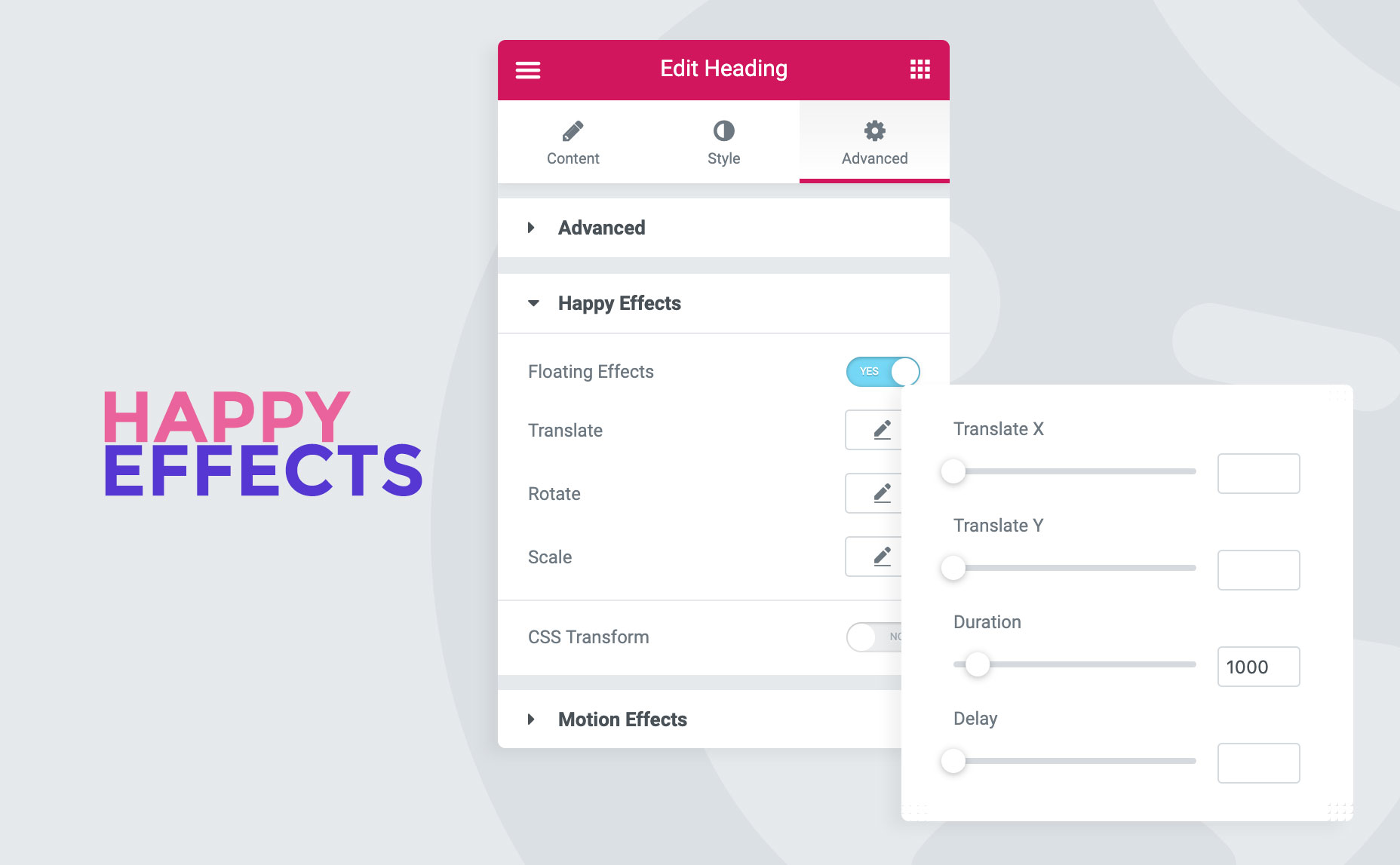
- Floating Effects: Add Translate, rotate & scale animations on any widget
- CSS Transform: Add CSS transforms- translate, rotate, scale, and skew.
- Background Overlay: Allow to add images, colors, & icons behind any widget.
- Column Control: Rearrange the order of the column in small devices.
- Happy Clone: Duplicate any post, page, or template instantly
- Grid Layout: Maintain perfect alignment across layouts
- Wrapper Link: Hyperlinked to any section/container.
- Happy Templates(Freemium): 500+ section templates & 70+ full page templates are available.
- On Demand Asset Loading: Only loads the specific CSS and JavaScript needed for the widgets
- Happy Shape Dividers: 18+ new shape dividers added within Elementor shape dividers.
- Equal Heights: Set equal heights to columns/sections/containers/widgets.
- Happy Line Icons: Get line icon library within elementor.
- Happy Tooltip: Add tooltips to any element.
- Scroll To Top: Add scroll to top button.
- Text Stroke: Add exterior border around heading & title widgets.
- Manage Column Width by Adding Pixels: Control the column width of widgets with percentage parameters.
- WPML Support: Ensures complete multilingual compatibility
- Feature Controller: Allows you to completely deactivate widgets you are not using
- Fixed Size Controls in Elementor Button: Set a fixed size to Elementor Buttons to make a perfect circular button.
- Reading Progress Bar: It offers horizontal, vertical, and circular styled reading progress bars.
- Custom JS: Allows you to inject custom JavaScript code directly into individual widgets
- Background Parallax: Adds a dynamic multi-layered scrolling effect to your element backgrounds
- Hugeicons: Use Hugeicons directly in your editor.
- Liquid Glass: Design modern frosted-glass layouts with fluidly morphing background shapes
75+ Pro Elementor Widgets
HappyAddons Pro unlocks 75+ additional Elementor widgets for professional sites, agencies, and developers.
🧩 General – Advanced building blocks for complex layouts and interactions
- Advanced Heading: Multi-layered heading designs with custom styling per word
- Advanced Tab: Tabbed content builder with nested element support
- Advanced Accordion: Accordion builder with nested widget support
- Modal Popup: Click-triggered popup builder for any content type
- Countdown: Countdown timers with multiple display styles
- Timeline: Visual vertical timeline content builder
- Sticky Video: Picture-in-picture video player that follows the user
- Source Code: Code snippets with syntax highlighting
- Table of content: Auto-generated table of contents for any post
- Advanced Google Map: Fully styled and customizable embedded Google Maps
- Happy Loop Grid: Build fully custom loop grid items
- Remote Carousel: Control multiple carousel widgets with one remote control
- Advanced Comparison Table: Feature-rich comparison tables for products or plans
- Title Tips: Add amazing title hover effects to your landing page titles.
- Featured Post: Showcase your most important blog posts in grids, lists, or masonry layouts
- Unfold Widget: Create unfold items.
- Feature List: Create beautiful lists items.
- Advanced Toggle: Show/hide items on toggle.
- List Group: Add multiple lists beautifully.
- Breadcrumbs: Visualize site’s breadcrumbs.
🎨 Creative – Next-level visual effects for agency-grade websites
- One Page Navigation: Smooth one-page scroll with dot navigation
- Off-Canvas Content/Menu: Slide-in menus and off-canvas content panels
- Hot Spot: Hotspot images with interactive tooltip overlays
- Image Swap: Alter images on mouse action.
- Metro Grid : 16 ready-made metro-style grid layouts
- Animated Text: Animated headings/texts with it.
- Happy Mega Menu: Create MegaMenu with Elementor.
- Flip Box: 3D flip card effects with front and back content panels
- Hover Box: Animated content panels that reveal on hover
- Scroll Tabs: Organize vast amounts of text and media into responsive vertical or horizontal tabs
- Super Buttons: You can create highly interactive call-to-action buttons featuring dual icons
- Scrolling Image: Add horizontally scrolling images & more
- Multi Scroll: Split your screen into two distinct vertical columns that scroll in opposite directions
- Single Image Scroll: Scroll on hover effect on long image.
- Loop Tab: dynamically pull your WordPress blog posts, custom post types, or WooCommerce products into smooth-sliding tabbed layouts
🎥 Slider & Carousel – Professional multi-layer sliders and controlled carousels
- Advanced Slider: It’s a slider builder.
- Creative Slider: Build eye-catching carousels with advanced transition effects
- Team Carousel: Add multiple team members as carousel.
- Testimonial Carousel: Showcase testimonials in carousel.
- Logo Carousel: Add logos in carousel styles.
- Post Carousel: Create post carousels with it.
📣 Social Media – Pull live social content directly into your pages
- Instagram Feed: Showcase instagram’s images directly.
- Twitter Feed Carousel: Create twitter feed carousels.
- Facebook Feed: Add facebook feed in site.
📢 Marketing – Widgets that drive action and boost conversions
- Pricing Table: Create advanced pricing table.
- Price Menu: Display restaurant food menu list.
- Advanced Pricing Table: Allows you to design highly flexible, conversion-optimized pricing grids complete with toggle switches
📊 Charts & Data – Dynamic data from any source, displayed beautifully
- Advanced Data table: Create Data Table with GoogleSheets, TablePress, CSV, & Local Database.
- Line Chart: Showcase stats in line chart style.
- Pie & Doughnut Chart: Crate animated pie charts.
- Polar Area Chart: Create polar area charts.
- Radar Chart: Display data in radar chart styles.
📝 Post & Content – Display and organize your blog content with full control
- Post Grid: Create post grid items.
- Post Tiles: Show posts in tiles style.
- Smart Post List: One combo widget for sticky post, filterable post list.
- Author List: Show site’s all authors in list.
💰 WooCommerce Widgets
Design your WooCommerce store pages inside Elementor with dedicated widgets.
- WooCommerce Product Grid: Add Woo product grids.
- WooCommerce Product Carousel: Create Woo Product carousels.
- WooCommerce Product Category Grid: Create Woo product’s category grids.
- WooCommerce Product Category Carousel: Create Woo Product category carousel.
- WooCommerce Single Product: Featured a single Woo product.
- WooCommerce Mini Cart: Add floating mini cart for Woo stores.
📦 Easy Digital Downloads (EDD) Widgets
HappyAddons includes complete EDD store support with 9 dedicated widgets – products, categories, cart, checkout, login, registration.
- EDD Single Product: Showcase featured EDD item.
- EDD Product Grid: Add Easy Digital Downlaods product grid.
- EDD Product Carousel: Create EDD product carousels.
- EDD Category Grid: Add EDD categories in grid style.
- EDD Category Carousel: Add EDD Product’s categories in carousels.
- EDD Cart: Design EDD store’s cart page.
- EDD Checkout: Style EDD store’s Checkout page
- EDD login: Customize EDD store’s login page
- EDD Registration: Design EDD store’s Registration page
- EDD Purchase: Style EDD store’s Purchase page
- EDD Download: Customize EDD Download Page.
💎 Premium Features
- Cross Domain Copy-Paste: You can copy & paste element from one domain to another.
- Unlimited Section Nesting: Add multiple nested containers & columns within one single columns or containers.
- Live Copy: Copy designs from our demo pages & paste it in your site!
- Image Masking: Give various shapes to images by using premade styles / uploading SVG.
- Theme Builder Advanced Templating Conditions: Advanced template conditioning option, Include & exclude page/posts, or archive pages to set conditions.
- Particle Effect: Add particle effects – Polygon, NASA, Snow & more.
- Preset: 400+ preset designs available in HappyAddons.
- Global Badge: Add badges to any Elementor widget or containers as per your need
- Multi Layer Parallax: Stack multiple independent images as a background layer, assigning a different scrolling speed
Privacy-Policy
Happy Addons uses Appsero-SDK to collect some telemetry data upon the user’s confirmation. Read-Policy.
Missing-Anything?
If you miss anything Submit ideas.
Happy-With-Our-Work?
We are thankful to you. If it brings smile, please share happiness by giving us 5***** rating.
Quick facts
Contributors
Leevio, HappyAddons, HappyMonster, weDevs
How Sourcemap Explorer detects Happy Addons for Elementor
Happy Addons for Elementor sits at v3.23.1 with 400K+ active installs, a 4.8/5 rating from 486 reviews, tested up to WordPress 7.0.2. Its last wp.org update landed 2026-07-30 7:06am GMT, and it has been on the directory since 2019-03-05. Whatever the install count, every site running it serves the plugin's files from the same predictable location — and that is the signal Sourcemap Explorer reads.
WordPress plugins all load assets from a predictable path: /wp-content/plugins/<slug>/. Sourcemap Explorer enumerates every such URL on the rendered page (script tags and stylesheets) and pulls the version from the ?ver= cache-buster query parameter when WordPress emits one. The slug is then cross-referenced against the wordpress.org plugin directory to attach the human-readable name, author, install count, rating and changelog you see on this page.
- 1
Find /wp-content/plugins/happy-elementor-addons/ in the Network tab
Open DevTools → Network → reload the page. Filter by "JS" or "CSS" and look for asset URLs starting with `/wp-content/plugins/happy-elementor-addons/`. Each match confirms the plugin is loading on the page. Sourcemap Explorer enumerates every plugin path automatically and lists each one in the popup's Stack tab.
- 2
Read the version from the ?ver= query string
WordPress appends the plugin version as a cache-busting query parameter to its asset URLs (`?ver=3.23.1`). Sourcemap Explorer pulls this version directly. The version on this page (3.23.1) is the latest published on wp.org — the version on a real site may lag.
- 3
Cross-reference with wp.org for human-readable metadata
Once the plugin slug is identified, fetch `https://api.wordpress.org/plugins/info/1.2/?action=plugin_information&request[slug]=happy-elementor-addons` to read the human-readable name, author, install count, rating and changelog. This page already does that for you.
Plugin ecosystem context
An Elementor add-on. Elementor is one of the dominant WordPress page builders, and its add-on ecosystem (Essential Addons, Happy Elementor Addons, Premium Addons, ElementsKit) extends the visual builder with extra widgets and templates. Within that group, Happy Addons for Elementor (400K+ active installs) is tagged elementor, elementor addons, elementor widget, header footer builder on wp.org.
Screenshots

Installation
Step 1: Upload the plugin file to install by navigating through Plugins➔Add New➔Upload Plugin➔Choose File to Install from your WordPress dashboard or you can simply search for the Happy Addons plugin from the plugin directory by going to Plugins➔Add New and search for the plugin in the search tab to install it on your WordPress site.
Step 2: After successful installation, you have to click the “activate” button to activate the happy addons for Elementor.
Step 3: When you activate Happy Addons for Elementor you will be redirected to our HappyAddons Dashboard Home Tab.
For a more detailed explanation check out the following documentation
FAQ
I’m afraid, you cannot use Happy Addons without Elementor.
Want to learn How to Create a MegaMenu? Watch this detailed tutorial of creating mega menus,
Yes, it does. And you’ll get some cool and extra features like Happy Effects for other Addons or Extensions.
Yes, it works with any WordPress theme that works with Elementor. And it best works with Hello Elementor.
Yes, undoubtedly.
No, It won’t break your site or any page where you used our plugin. We put our best effort to make you happy. But we always recommend to keep back up of your site before updating our plugin. In case if anything happens you can revert back and contact our support team immediately.
You will be able to convert your square image into lovely custom shapes. No hassles, just upload your image and choose your shape. Boom! Just done. Very Easy. Here is tutorial.
Yes, you can use particle effects from the Particle Js site. Here is tutorial –
Please report security bugs found in the source code of the Happy Addons for Elementor plugin through the Patchstack Vulnerability Disclosure Program. The Patchstack team will assist you with verification, CVE assignment, and notify the developers of this plugin.
Changelog
3.23.1 – 29 July 2026
- Update: Improved compatibility of some widgets with the Liquid Glass feature.
- Update: WhatsApp Button help URL added.
3.23.0 – 22 July 2026
- New: Liquid Glass Feature.
- New: WhatsApp Button widget.
- Fix: Notice & Review CSS issue with WP 7.
3.22.0 – 8 June 2026
- Update: Made Compatible with PHP 8.5
- Update: Made Compatible with WordPress 7.0
- Update: Made Compatible with Elementor 4.1
3.21.4 – 12 May 2026
- Tweak: Added Hugeicons Autoloading.
3.21.3 – 27 April 2026
- Fix: Justified Grid widget Compatible with Elementor’s Tabs & Accordion widgets.
3.21.2 – 01 April 2026
- Update: Made Compatible with Elementor 4.0
3.21.1 – 05 March 2026
- Fix: Template Conditions Manager security issue.
- Fix: Happy Clone security issue.
3.21.0 – 17 February 2026
- Fix: Resolved Archive Post image size issue.
- Update: Added ‘Previous/Next’ & ‘Numbers and Previous/Next’ option in Archive Post pagination.
- Update: Added Title, Meta & Readmore hover style controls in Archive Post.
- Update: Added Current Query option in Post List.
- Update: Added Offset control in Post List.
- Update: Added Category filter option in Post List.
- Update: Added Date format control in Post List.
- Update: Added Custom Meta Field support in Post List.
- Update: Added Item Counter Enable option in Taxonomy List.
- Update: Added Item Counter style option in Taxonomy List.
3.20.8 – 02 February 2026
- Fix: Age Gate & SVG Line Draw security issue.
3.20.7 – 19 January 2026
- Fix: Hotfix for happy clone issue.
3.20.6 – 15 January 2026
- Fix: Resolved Twitter Feed issue.
- Fix: Resolved Happy Clone issue.
- Update: Made Compatible with Elementor 3.34
3.20.4 – 17 December 2025
- Fix: Resolved Theme Builder Condition issue.
- Fix: Resolved Custom JS issue.
3.20.3 – 10 December 2025
- Fix: Event Calendar all day event issue.
- Update: Added Image & Video offset control in Mouse Cursor.
- Update: Made Compatible with WordPress 6.9
3.20.2 – 20 November 2025
- Update: Made Compatible with Elementor 3.33
3.20.1 – 15 September 2025
- Fix: Bug fixes and performance improvements.
- Update: Internal logic so that localhost is not consuming license seat.
- Update: Made Compatible with Elementor 3.32
3.20.0 – 26 August 2025
- New: Background Parallax Feature.
- Fix : Nav Menu svg icon render issue
- Update: HappyAddons dashboard widget search option added and filter option improved
3.19.0 – 13 August 2025
- New: Custom JS Feature.
- Fix: Will no longer prompt for Icon library updates if Elementor is sufficiently updated.
- Update: Happy Shapes compatible latest Elementor shape divider control.
- Update: Made Compatible with Elementor 3.31
3.18.1 – 14 July 2025
- Fix: Undefined variable maxitems Fixed
- Fix: Template loading issue on content switcher under certain conditions.
- Fix: Text Stroke feature issue with the Fixed button width feature.
- Update: Made Compatible with Elementor 3.30
3.18.0 – 16 June 2025
- New: SVG Draw widget.
- Update: DOMPurify js library update.
Detected by Sourcemap Explorer
We enumerate every /wp-content/plugins/happy-elementor-addons/ path on the page, and pull the version from the ?ver= query string when WordPress emits one (wp.org currently lists v3.23.1, updated 2026-07-30 7:06am GMT).